Guides
How to Use Notion for a Translation Agency: Projects and Deadlines
Learn how to set up Notion for a translation agency with clients, projects, linguist assignments, deadlines, glossaries, and invoices, plus PDF quotes and assignment briefs.
By Sanat Biswal · 2026-11-11 · 5 min read
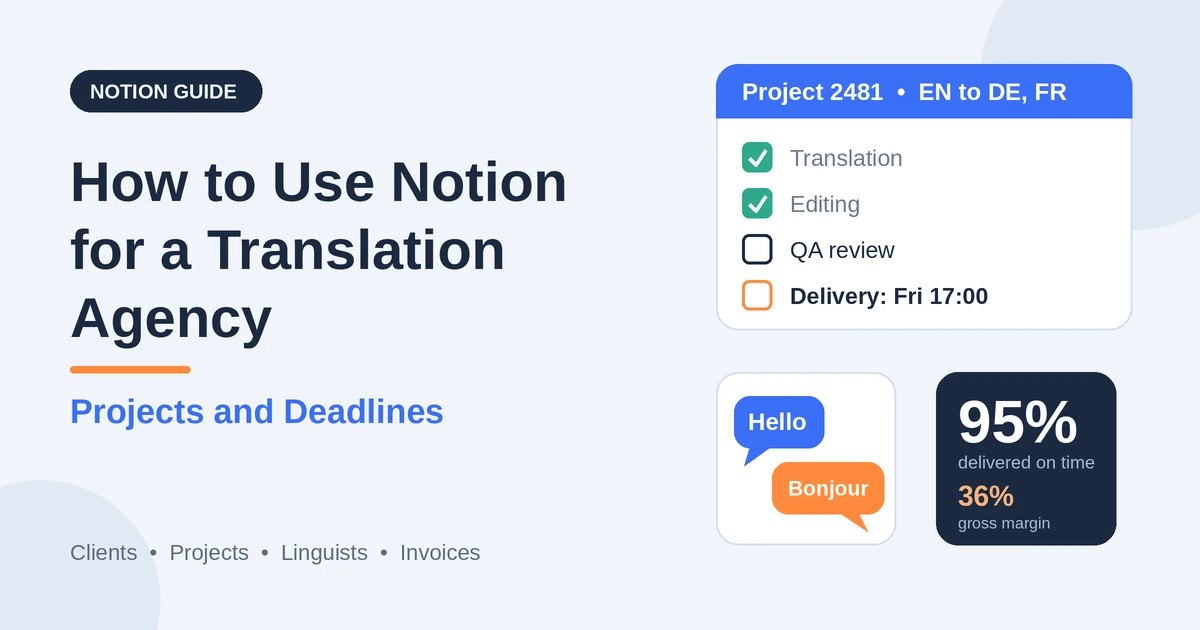
{/ synced-from-notion — do not edit manually /}
A translation agency sells a promise with a clock on it: this document, in that language, by that time, in the right words.
Behind the promise is a chain of handoffs. A project manager prepares the files and the glossary. A translator works on a draft. An editor revises it. A proofreader or a second linguist checks it. The files go back to the client, sometimes in a different time zone, sometimes with a certified stamp that has to travel by post.
A late translator, a missing glossary, or a quote that didn’t allow for review time can break the chain, and the deadline with it. Most small agencies hold this in email threads, a spreadsheet, and the project manager’s memory, and the cost shows up as late deliveries, rework, and thin margins.
Notion can hold the management layer in one place. This guide is for project managers, owner-operators, and small translation and localization agencies working with a pool of freelance linguists. It follows a project from the first request to the final invoice and the linguist’s payment.
It shows how to set up clients, projects, assignments, linguists, client assets such as glossaries and style guides, and invoices, how to plan deadlines that allow for the whole chain, and how to turn records into PDFs such as quotes, assignment briefs, and delivery notes.
It also covers confidentiality, which matters a great deal in this business. It is general information about organizing a business, not legal, professional, or data protection advice.
An important boundary comes first. Notion is not a translation management system (TMS) or a CAT tool. It doesn’t hold translation memories, run quality checks on text, or exchange files with linguists. The source and target text belong in your CAT tool, your TMS, or your secure file storage, and not in Notion pages. Notion tracks the projects, the people, the dates, the money, and the links.
Short answer on how to Use Notion for a translation agency:
To use Notion for a translation agency, create linked databases for Clients, Projects, Assignments, Linguists, Client Assets, and Invoices. Give every project a word count, a rate, and a client deadline, and let formulas calculate the quote, the internal deadline with a buffer, and whether the schedule is realistic.
Break each project into assignments for translation, editing, and proofreading, each with a linguist, a due time, and a cost. Flag assignments that haven’t been accepted, projects due in 24 or 48 hours, and anything overdue. Track linguist quality, on-time delivery, and availability. Keep source text out of Notion, and put the key facts in report-ready fields, so a quote or an assignment brief PDF takes minutes.
Notion works well for small agencies because the work is a chain of dated handoffs. A project has assignments, each assignment has a linguist and a due time, and a formula adds a buffer to turn the client’s deadline into the agency’s.
A rollup sums the vendor cost, another formula turns it into a margin, and a flag tells you which projects are at risk. Notion isn’t a CAT tool, a TMS, a payment tool, or a file transfer system. It doesn’t send reminders or job offers by itself, so it works best beside your CAT tool, your secure file storage, your email, and your accounting tool.
Larger agencies often use a dedicated TMS for workflow automation, and Notion can still help with planning and reporting beside it. For documents that leave the agency, you can export a page as a PDF or generate one from a template.
Table of Contents
What Notion Can and Can’t Do for a Translation Agency
Notion is good for:
- Tracking requests, quotes, and accepted projects.
- Calculating quotes and margins from word counts and rates.
- Planning deadlines, with an internal buffer and a realistic schedule check.
- Tracking assignments, who has accepted, and who is late.
- Tracking linguists, their languages, specialties, capacity, and quality.
- Keeping client glossaries, style guides, and reference links in one place.
- Tracking client invoices and vendor payments.
- Creating consistent quotes, briefs, and delivery notes.
- Translation memory, terminology databases, or text quality checks.
- Storing or exchanging source and target files.
- Automatic job offers, reminders, or time zone scheduling.
- Taking payments or full accounting.
- Replacing a TMS if you need workflow automation at volume.
- Keep source and target text out of Notion. Store files in secure storage or your TMS, with access control and a retention policy, and link to them from the project.
- Use NDAs and agreements. Have linguists sign a confidentiality agreement before they see client material, and record the date and expiry. Check what your client contracts require of your vendors.
- Respect data protection law. Documents often contain personal data. Many places require agreements with vendors who process it, limits on moving it across borders, and deletion after the project. Record whether a project contains personal or sensitive data, and handle it as your rules and your contracts say.
- Control AI and machine translation use. Many clients forbid pasting their text into public machine translation or AI tools, and some require approval for any use. Record each client’s policy on the client record, tell your linguists, and follow it. Never put source text into a tool unless the client’s terms and your agreements allow it.
- Follow your quality standard. If your clients require a standard such as ISO 17100 for translation services, or one for machine translation post-editing, make sure your workflow and records support it. Such standards typically call for qualified translators and a revision step by a second linguist. Check which standards your clients actually require.
- Don’t store payment details. Bank details, payment account numbers, and tax IDs for linguists belong in your accounting or payables system, not in Notion.
- Think about ownership. Who owns the translation, and who may reuse the translation memory, depends on your contracts. Have your agreements reviewed by a qualified adviser.
- Clients stores who you work for. Add these properties: Name, Company, Industry, Contact Person, Email, Time Zone, Payment Terms (days), Currency, Confidentiality Level (Standard or High), MT or AI Policy (Not Allowed, Allowed With Approval, or Allowed), Default Style Guide (relation), Notes, and a Projects relation.
- Projects is the main database. Add: Project Number, Project Name, Client (relation), Service (Translation, Translation and Editing, Editing Only, Proofreading, Localization, or Transcreation), Source Language, Target Languages (multi-select), Language Count (a formula), Billable Words, Rate per Word, Minimum Fee, Rush (a checkbox), Rush Surcharge %, Quote Total (a formula), Vendor Cost (a rollup), Gross Margin (a formula), Margin % (a formula), Client Due (date and time), Buffer Hours, Internal Due (a formula), Hours Left (a formula), Deadline Flag (a formula), Status (Request, Quoted, Accepted, In Progress, In Review, Delivered, Invoiced, or Closed), Certification Required (a checkbox), Contains Personal Data (a checkbox), and Files Link.
- Assignments stores each task for a linguist. Add: Project (relation), Linguist (relation), Role (Translator, Editor, Proofreader, Reviser, Reviewer, or Formatter), Language Pair, Words, Vendor Rate per Word, Cost (a formula), Offered At, Due (date and time), Submitted At, Status (Draft, Offered, Accepted, In Progress, Submitted, Approved, or Paid), Offer Flag (a formula), Late Hours (a formula), Open Words (a formula), Late Count (a formula), Quality Score, Brief Sent (a checkbox), Assets Sent (a checkbox), and Notes.
- Linguists stores your freelance pool. Add: Name, Source Languages, Target Languages, Roles, Specializations (Legal, Medical, Technical, Marketing, Financial, or Other), Daily Capacity (words), Time Zone, Availability (Available, Busy, or On Leave), Leave Until, Tools, Vetted (a checkbox), NDA Signed (a checkbox), NDA Expiry, Open Words (a rollup), Load Flag (a formula), Average Quality (a rollup), Assignments Done (a rollup), Late Assignments (a rollup), and Late Rate (a formula). Keep personal details to what you need.
- Client Assets stores terminology and style resources. Add: Name, Client (relation), Language Pair, Type (Glossary, Style Guide, Translation Memory, or Reference Material), Owner, Last Updated, Link, Status (Current or Needs Review), and Review Flag (a formula).
- Invoices stores money in and out. Add: Type (Client Invoice or Vendor Bill), Project (relation), Assignment (relation, for vendor bills), Amount, Currency, Issued On, Due Date, Paid On, Status (Draft, Sent, Paid, or Late), Paid Amount (a formula), and Late Flag (a formula).
- Requests to quote: projects with the status Request, sorted by when they arrived.
- Quotes to follow up: projects with the status Quoted, sorted by how long ago they were sent.
- By client: all projects for one client, for repeat work and reviews.
- Deadlines: a calendar or a table sorted by Client Due, with the flag.
- At risk: projects with the Schedule Flag or a deadline flag.
- Due this week: projects due in the next seven days, grouped by project manager.
- [ ] Client, subject, audience, and purpose
- [ ] Language pair and the direction
- [ ] Word count, scope, and file format
- [ ] Deadline with time and time zone
- [ ] Glossary, style guide, and translation memory links
- [ ] Reference material and previous translations
- [ ] Client instructions, such as tone, spelling variant, or terms to leave untranslated
- [ ] Confidentiality and the client’s policy on machine translation and AI tools
- [ ] How to deliver, and what to do if there’s a question or a delay
- [ ] Rate and payment terms
- Today: assignments due today, grouped by linguist, sorted by time.
- Needs a linguist: assignments with the status Draft or Offered, and the offer flag.
- Late or at risk: assignments past their due time, or due within 12 hours and not yet submitted.
- Waiting for review: assignments with the status Submitted.
- By linguist: a timeline grouped by linguist, so you can see who’s booked when.
- Available now: linguists with the status Available, grouped by language pair.
- Top performers: linguists sorted by average quality, for your most important projects.
- Needs attention: linguists with an expired NDA, a high late rate, or a heavy load.
- On leave: linguists with leave dates in the next 30 days, so you don’t offer work they can’t do.
- Quotes and proposals: the scope, the languages, the word count, the rate, the deadline, the terms, and what’s included
- Project confirmations: the agreed languages, the deadline with its time zone, the formats, and the contacts
- Assignment briefs and purchase orders for linguists: the details, the deadline, the rate, and the links to assets
- Delivery notes: what was delivered, when, in what format, and with a link to the files
- Quality feedback sheets for linguists, based on the score and comments
- Invoices and receipts for clients. Notion Receipt Template shows how to structure a receipt.
- Vendor statements: the assignments completed and the amounts due
- Service agreements, NDAs, and vendor agreements, with wording checked by a qualified adviser
- Project status reports and monthly summaries for larger clients
- Certification statements, only with wording and a process approved by the person who certifies
- Create your template with your agency’s name, your logo, and your layout.
- Add placeholders in double curly braces where the data should go, such as {{Project_Name}}
or{{Quote_Total}}`. - Make sure each placeholder matches the name of a Notion property.
- Start the document with a Notion database button or a status property.
- Ready to Generate creates a PDF from the database record.
- Generate Page converts the Notion page into a PDF.
- Generate PDF and Doc creates a PDF and a Google document.
- Preview creates a Google document so you can check it before making the final PDF.
- Generate E-Signed Doc creates an e-signed PDF in the database workflow.
- Give project managers access to their own clients and projects.
- Give linguists no workspace access. Send each of them only their own brief and files, through your secure channel.
- Keep client rates, vendor rates, margins, and invoices in views that only the owner and the finance lead can open.
- Keep high-confidentiality projects on restricted pages, visible only to the people assigned.
- Keep source and target text, bank details, tax IDs, and any personal data from documents out of Notion.
- Never give clients access to the workspace. Send each client only their own documents.
- Remove access on the day someone leaves, and check NDAs and agreements for departing staff.
- Review who has access every few months.
- How to Use Notion for a Catering Business
- How to Use Notion for a Wedding Planner
- How to Use Notion for a Music School
Notion is not made for:
If you already use a CAT tool, a TMS or secure file storage, and accounting software, treat Notion as the coordination layer beside them. Link to the files and records by path, and don’t copy client text into Notion.
Confidentiality, Data Protection, and Quality Standards
Translation agencies handle some of their clients’ most sensitive material: contracts, medical records, financial results, patents, court documents, and unreleased products. A leak can end a client relationship and bring legal trouble.
Rules differ by country and region, so check what applies to you. While you are testing, use made-up clients, linguists, and documents.
The Six Databases
Start with these six. You can add more later, such as Quotes, Subcontractors, or Quality Reviews.
A relation connects a record in one database to a record in another. Link Projects to Clients, Assignments to Projects and Linguists, and Invoices to Projects and Assignments. Now a project’s page shows its client, its assignments, its deadline, its cost, and its invoices together, and a linguist’s page shows everything they’ve been given.
Clients and Requests
Most projects begin with an email and an attachment. A consistent first step makes quoting faster and prevents surprises later.
When a request arrives, create a Project with the status Request, and a Client if they’re new. Ask the same questions every time: the languages, the subject and the audience, the word count or the files, the deadline with its time zone, the file formats, whether a certified translation is needed, any style guide or glossary, and who approves the result. Check the client’s confidentiality level and their policy on machine translation and AI before anyone touches the files.
Record the client’s time zone, and be explicit about deadlines in every message, such as “Friday 17:00 CET.” A deadline without a time zone has caused more disputes than almost any other detail in this business.
Make these views of Projects:
A fast, clear quote often wins the job, and a slow one loses it.
Quotes: Words, Rates, and Margin
Quoting from memory leads to inconsistent prices and eroded margins. A few inputs and a few formulas keep quotes consistent.
Start with the billable word count. Many agencies analyze files in a CAT tool, apply discounts for repetitions and fuzzy matches from the client’s translation memory, and quote on the weighted count. Record that count in Billable Words, and note the basis. Then add:
``
Language Count: length(prop("Target Languages"))
Quote Total: max(prop("Minimum Fee"), prop("Billable Words") prop("Rate per Word") prop("Language Count")) * (1 + if(prop("Rush"), prop("Rush Surcharge %"), 0))
`
For the margin, roll up the cost of the assignments as Vendor Cost, and add:
`
Gross Margin: prop("Quote Total") - prop("Vendor Cost")
Margin %: if(prop("Quote Total") > 0, prop("Gross Margin") / prop("Quote Total"), 0)
`
Here is a made-up project. Amounts are in your own currency, and the rates are examples.
| Item | Value |
|---|---|
| Billable words | 5,000 |
| Target languages | 2 (German and French) |
| Client rate | 0.14 per word |
| Quote total | 1,400 (5,000 × 0.14 × 2) |
| Translators | 0.07 per word × 10,000 = 700 |
| Editors | 0.02 per word × 10,000 = 200 |
| Vendor cost | 900 |
| Gross margin | 500 |
| Margin % | 35.7% |
> 💡 Pro Tip: Add a “target margin” property and a flag that appears when a quote falls below it. A quote that looks fine on its own can still be a loss once the editor’s and proofreader’s costs are in.
Planning Deadlines That Allow for the Whole Chain
Most late deliveries start with a deadline that never allowed enough time. Build the whole chain into the plan before you accept.
Set the Client Due with its time zone, and a buffer in hours that gives you room for problems, such as 4 hours, or more for large projects. Then add:
`
Internal Due: dateAdd(prop("Client Due"), -1 * prop("Buffer Hours"), "hours")
Hours Left: dateBetween(prop("Client Due"), now(), "hours")
Deadline Flag: if(or(prop("Status") == "Delivered", prop("Status") == "Invoiced", prop("Status") == "Closed"), "",
ifs(
prop("Hours Left") < 0, "Overdue",
prop("Hours Left") <= 24, "Due in 24 hours",
prop("Hours Left") <= 48, "Due in 48 hours",
""
))
`
The flag shows undelivered projects that are overdue or due within two days. Make sure Client Due includes a time and the right time zone.
To check whether a schedule is realistic before you accept, estimate the days the work needs from the word count and a typical daily output. Many agencies plan around two thousand to two and a half thousand words per translator per day, but use your own figures, and allow for the subject, the quality needed, and whether the translator is working in a CAT tool with a translation memory. Add properties for the daily capacity, the review days, and the start date, then:
`
Days Needed: ceil(prop("Billable Words") / prop("Daily Capacity")) + prop("Review Days")
Earliest Finish: dateAdd(prop("Start Date"), prop("Days Needed"), "days")
Schedule Flag: if(prop("Earliest Finish") > prop("Internal Due"), "Deadline at risk", "")
`
A 5,000-word project at 2,000 words per day needs 3 days of translation, and one review day makes 4 days in total. If the client wants it in three, the flag appears before you’ve promised it, and you can split the work between two translators, quote a rush fee, or negotiate a new date. These are calendar days, so adjust for weekends and holidays, and remember that Notion has no built-in working-day calendar.
Make these views of Projects:
Assignments: Offer, Accept, Deliver
An assignment is one task for one linguist, with a brief, a due time, and a price. This is where a project succeeds or slips.
For each project, create an Assignment for each stage, such as translation, then editing, then proofreading, with the language pair, the words, the vendor rate, and the due time. Set the later due times from the earlier ones with a realistic window, so the editor’s time doesn’t start before the translator’s ends. The cost is simply:
`
Cost: prop("Words") * prop("Vendor Rate per Word")
`
Use a Brief template for every assignment, and send it with the files:
Offering work is time-sensitive, because a linguist who doesn’t reply wastes the hours you can’t spare. Record when the offer went out, and add:
`
Offer Flag: if(and(prop("Status") == "Offered", dateBetween(now(), prop("Offered At"), "hours") >= 2), "No reply: contact next linguist", "")
`
The flag shows offers unanswered after two hours. Change the number to match the urgency of the work. Notion can’t send the offer, so use your email or your TMS, and record the time here.
To track lateness, record when each assignment was submitted, then add:
`
Late Hours: if(or(prop("Status") == "Submitted", prop("Status") == "Approved", prop("Status") == "Paid"), max(0, dateBetween(prop("Submitted At"), prop("Due"), "hours")), 0)
Late Count: if(prop("Late Hours") > 0, 1, 0)
Open Words: if(or(prop("Status") == "Accepted", prop("Status") == "In Progress"), prop("Words"), 0)
`
After review, record a quality score with the criteria you use, such as an error-based scoring method or a simple rating, and share feedback with the linguist. Honest feedback helps good linguists improve, and it tells you who to trust with difficult work.
Make these views of Assignments:
Linguists: Capacity, Quality, and Availability
Your pool of linguists is your most important asset, and a good record turns “who can do this?” from a scramble into a search.
For each linguist, record the language pairs and the direction (many translators work only into their native language), the specializations, the tools they use, the daily capacity, the time zone, and the dates of any planned leave. Tick Vetted when they’ve passed your test or your references, and record the date their NDA was signed and when it expires. Keep personal details to what you need, and keep payment details in your payables system.
Set up a Find a linguist view with filters for the language pair, the specialization, the availability, and the vetted and NDA boxes. A search that takes seconds helps especially when a rush request arrives on a Friday afternoon.
On Linguists, roll up Open Words from their assignments, the average quality score, the number of assignments done, and the number of late ones. Then add:
`
Load Flag: if(prop("Open Words") > prop("Daily Capacity") * 3, "Heavily booked", "")
Late Rate: if(prop("Assignments Done") > 0, prop("Late Assignments") / prop("Assignments Done"), 0)
`
The load flag shows linguists with more than three days of work in progress. Use the numbers as a guide, because a linguist’s speed varies with the text. A linguist with a high quality score and a low late rate is the one to call first for important work. A rising late rate is a conversation, and not just a statistic, because it may mean they’re overloaded or the material is more difficult than expected.
Make these views of Linguists:
Client Assets: Glossaries, Style Guides, and Translation Memories
Consistency is a large part of what clients are paying for. The same term should be translated the same way in every document, and the client’s tone should hold across linguists.
In Client Assets, record each glossary, style guide, and translation memory by client and language pair, with the owner, the date it was last updated, and a link to the file in secure storage. Keep the actual terms in your CAT tool or your terminology system. Add:
`
Review Flag: if(dateBetween(now(), prop("Last Updated"), "days") > 365, "Review", "")
`
The flag shows assets not updated for a year. Check them with the client, and add new approved terms after each project.
Tick Assets Sent on every assignment, so no linguist starts without the glossary. After each project, ask the editor to note new terms and corrections, and update the assets. Clients notice when the same mistake is corrected twice, and they notice when it isn’t.
Special Cases: Rush, Certified, and Machine Translation Post-Editing
A few kinds of work need extra steps, and the record should show them.
Rush work. Tick Rush, add the surcharge, and tell the client why it costs more. Check the capacity of two or three linguists before you accept, and consider splitting the text between translators, with a reviewer to make the style consistent. Rush work is where quality problems begin, so plan time for review even when time is short.
Certified or sworn translations. Rules on who may certify, what the certificate must say, whether a stamp or an apostille is needed, and whether the original must be delivered by post differ by country and by the receiving authority. Tick Certification Required, record what the client’s authority needs, and plan time for delivery. Physical delivery adds days, and some authorities don’t accept scans. Have your certification wording and process checked by a qualified person.
Machine translation post-editing. If you offer MTPE, record the client’s approval to use machine translation, the tool you’re using, and the level of editing required, such as light or full post-editing. Rates and expectations differ from human translation, and the client’s confidentiality rules apply to the machine translation tool too. Never send client text to a tool they haven’t approved.
Confidential or high-sensitivity projects. Set the client’s confidentiality level to High, limit who can see the project, and use only linguists with a current NDA. Check whether the client requires specific security measures.
Invoices and Vendor Payments
A translation agency has two flows of money, with different timing: what clients owe you, and what you owe your linguists. Many agencies pay linguists 30 to 60 days after the work, and clients may take just as long to pay you, so tracking both matters.
For each project, create an Invoice record of the type Client Invoice, with the amount, the currency, and the due date calculated from the client’s payment terms. For each assignment, create a Vendor Bill with the amount from the Cost formula, and the date you’ve agreed to pay. Notion can’t sum only the paid invoices with a plain rollup, so use a helper formula:
`
Paid Amount: if(prop("Status") == "Paid", prop("Amount"), 0)
Late Flag: if(and(prop("Status") == "Sent", dateBetween(now(), prop("Due Date"), "days") > 0), "Late", "")
`
A view called Invoices due shows what clients owe, what’s late, and what you owe your linguists in the next week. Payments and the formal accounts happen in your accounting tool and your payment platform, and you update the status in Notion when the money moves. A Ready to invoice view, with delivered projects and no client invoice, catches the most common leak in a small agency: work delivered and not billed.
Watch the currencies. Quote and invoice in the currency your terms say, record any exchange rate you used, and check the rules on tax and VAT for cross-border services. Tax rules differ by country, so check what applies to you, including how to treat freelancers in other countries. Pay your linguists on time, because a reputation for prompt payment is one of the best ways to attract good ones. Notion Receipt Template shows how to structure a receipt.
Your Business Numbers
A translation agency has a few numbers worth watching. Here is a made-up quarter.
| Item | Value |
|---|---|
| Projects | 60 |
| Source words | 300,000 |
| Average target languages | 2 |
| Translated words | 600,000 |
| Revenue | 84,000 |
| Revenue per translated word | 0.14 |
| Vendor cost | 54,000 |
| Vendor cost per translated word | 0.09 |
| Gross margin | 30,000 (35.7%) |
| Delivered on or before the deadline | 57 of 60 |
| On-time rate | 95% |
| Client complaints or revision disputes | 3 |
| Complaint rate | 5% |
Also watch the time between a request and a quote, how often quotes turn into projects, how many repeat clients you have, and the average days for clients to pay. A small sample can mislead, so treat these as guides. They leave out your salaries, tools, insurance, and tax, so check the full figures with an accountant. Test every formula with made-up numbers and check it with a calculator.
A Wednesday for a Small Translation Agency
To see how the pieces fit, here is one made-up Wednesday for an agency with two project managers and a pool of about forty linguists.
8:00 am. The first project manager opens the Deadlines view. Two projects are due within 24 hours, and one shows the Schedule Flag. She moves a second translator onto the long project, and updates the due times.
8:30 am. The Needs a linguist view shows an assignment offered three hours ago with no reply, flagged. She offers it to the next linguist on the list, and records the time.
10:00 am. A new request arrives for a legal document in two languages. She creates a Project, notes the client’s confidentiality level and AI policy, and uses the Find a linguist view to check who’s vetted, available, and has a current NDA. She quotes with the formula, and the margin looks right.
11:30 am. An editor submits an assignment early. She checks it, records a quality score, and approves it for delivery.
1:00 pm. The Linguists view shows a translator with a rising late rate. She calls her to ask whether she’s overloaded, and agrees to lighter work for the next two weeks.
3:00 pm. She delivers a project and sets the status to Delivered. The Ready to invoice view shows two earlier projects with no invoice. She raises both.
4:30 pm. The Invoices due view shows a vendor bill due on Friday. She schedules the payment in the payables system.
5:00 pm. She sets a project’s delivery note to Ready to Generate. The PDF goes to the client with the delivery link.
Nothing depended on anyone’s memory.
The Documents That Leave Notion
Clients and linguists don’t use your workspace, so some records need to become files. The translated text itself stays in your CAT tool and your secure storage. From Notion, generate the management documents around it:
For a single page, you can use Notion’s export option. How to Export Notion to PDF shows the settings. Clients judge an agency partly by the clarity of its quotes and notes, and Notion’s own export gives you limited control over layout. How to Add Your Logo and Brand Colors to Notion PDFs explains how a template solves that.
Generating PDFs with PDFOutput
PDFOutput creates documents from your Notion data using a template. A template can be a Google document, a Word file, a PDF file, or a Notion page. If you already have a quote or brief layout in Word or Google Docs, you can reuse it.
Here is how it works:
These are some of the status options:
The e-signed option may help with quotes, service agreements, and vendor agreements. Whether an electronic signature is valid for a given document depends on your location and the type of document, so check before you rely on it. It isn’t a way to certify a translation, which has its own rules. You can save the finished file to a property in your database, so a quote stays on the project record. You can also save it to a Google Drive folder and store the link in a property.
Three kinds of document work well.
A quote uses the fields on one project record: the client, the languages, the billable words, the rate, the total, the deadline, and your standard terms.
An assignment brief uses the fields on one assignment record: the project, the role, the language pair, the words, the due time, the rate, and the instructions as text.
A delivery note uses the fields on one project record: the delivery date, the files link, and a short note. If you’d like a quote that lists several line items or languages, test a template with a sample project that has several, and check that each appears. If it doesn’t, write the line items as text on the project, and use that in the template.
Before using any document tool with information about your clients, ask the provider how data is handled, where it’s stored, and what agreements are available, and keep the answers with your records. For confidential clients, the safest approach is to generate documents from records that hold only what the recipient should see, with no source text. Never put one client’s details, or a linguist’s payment details, on a document sent to someone else. Check the names, the dates, and the time zone on every document before you send it.
Start with the assignment brief, since you’ll send it most often, and a clear brief prevents most queries. Use Preview first and check for empty fields, the right deadline and time zone, and links that open for the linguist.
> 📌 Key Takeaway: Quote from the same inputs every time, plan the deadline for the whole chain with a buffer, give every assignment a brief and a due time, and keep the text itself out of Notion. Then quotes, briefs, and delivery notes come from records you already have.
Who Can See What
Your workspace will hold client details, deadlines, rates, and linguist information, so control access tightly.
Common Mistakes
Quoting a deadline with no time zone. Always write the time and the zone, in the quote, the brief, and the confirmation.
Quoting without checking the schedule. Use the schedule flag before you accept.
Skipping the buffer. The client deadline and the internal deadline are not the same thing.
Sending text to unapproved tools. Check the client’s policy on machine translation and AI, and follow it.
Putting source text in Notion. Keep it in secure storage and your TMS, and link to it.
Starting without the glossary. Tick Assets Sent on every assignment, and update the assets afterwards.
Waiting for a linguist who never replied. Use the offer flag, and move on after two hours or whatever your limit is.
Working without an NDA. Check the NDA before the files go out, and track expiry dates.
Forgetting to invoice. Delivered and not billed is lost revenue. Use the Ready to invoice view.
Paying linguists late. It costs you your best people. Track vendor bills with due dates.
Ignoring quality feedback. Score assignments, share the results, and notice patterns.
Too many properties. If an assignment takes ten minutes to set up, it won’t get done. Keep the templates short.
No owner for the structure. If more than one person edits the workspace, pick one person responsible for the setup. Properties get renamed and formulas break, so tell that person not to rename properties used in PDF templates, because the placeholders must match exactly.
Skipping a test. Run a month with made-up projects first, and fix what annoys you before you use real records.
Frequently Asked Questions
Can Notion be used to run a translation agency?
For the management side, yes. It can organize clients, projects, assignments, linguists, client assets, and invoices. It isn’t a CAT tool or a TMS, and it shouldn’t hold source or target text, so keep the translation work and the files in the tools and storage built for them.
How do I plan translation deadlines in Notion?
Record the client’s deadline with its time and time zone, subtract a buffer to get your internal deadline, and calculate the days needed from the word count, the daily capacity, and the review days. Use a formula to flag projects where the earliest finish falls after the internal deadline, and flag projects due within 24 or 48 hours.
How do I calculate a translation quote in Notion?
Multiply the billable word count by the rate per word and the number of target languages, apply a minimum fee, and add a rush surcharge if needed. Roll up the linguists’ costs, and use a formula to show the gross margin and the margin percentage.
How do I manage freelance translators in Notion?
Create a Linguists database with language pairs, specializations, capacity, availability, NDA dates, and roll-ups of quality scores and late deliveries. Build a Find a linguist view with filters for pair, specialization, and availability, and flag linguists who are heavily booked or whose NDA has expired.
How do I keep client glossaries and style guides organized in Notion?
Create a Client Assets database that links each glossary, style guide, and translation memory to a client and a language pair, with an owner, a last-updated date, and a link to the secure file. Tick Assets Sent on each assignment, and flag assets that haven’t been reviewed in a year.
Is it safe to store client information in Notion?
Notion lets you control who sees each page, but your duties depend on the rules where you work and on your contracts. Keep source and target text, personal data from documents, and bank details out, record each client’s confidentiality level and their policy on machine translation and AI, use restricted pages for sensitive projects, and limit access to the people who need it.
Can I create quotes and assignment briefs from Notion?
You can export a page as a PDF, or use a template-based tool such as PDFOutput to fill a quote or brief template with data from each record. Put the key facts in clearly named properties on one record, test it on a few sample records first, and check each document before you send it.
Related Reading
A good translation agency setup in Notion keeps the whole chain in view: a quote built from the same inputs every time, a deadline planned for translation, editing, and review with a buffer, an assignment and a brief for every linguist, and a clear picture of who’s available, who’s reliable, and who’s late. Keep the text and the personal data out, respect each client’s rules on confidentiality and machine translation, and run a month with made-up projects first. When your quotes, briefs, and delivery notes need to leave Notion, PDFOutput can fill your template from each record and save the PDF to your chosen storage.
Want quotes and assignment briefs as clean PDFs? Try PDFOutput.