Guides
How to Use Notion for a Driving School: Students and Test Dates
Learn how to set up Notion for a driving school with students, lessons, test dates, instructors, vehicles, and payments, plus PDF progress reports and booking confirmations.
By Sanat Biswal · 2026-11-03 · 5 min read
{/ synced-from-notion — do not edit manually /}
A driving school sells progress toward a date.
The student who has had twelve lessons and is nearly ready. The one who booked a practical test for next month and hasn’t had a lesson in three weeks.
The theory certificate that quietly expires before the practical test is booked.
The instructor whose car is due for a safety check, and the vehicle that’s double-booked on Thursday morning. Most small schools hold this in a diary, a messaging app, and each instructor’s memory, and the gaps show up as missed lessons, lost test slots, and students who drift away.
Notion can hold it in one place.
This guide is for owner-instructors and small driving schools with a few instructors and vehicles.
It follows a student from the first enquiry to the test and the pass. It shows how to set up students, lessons, tests, instructors, vehicles, and payments, how to track hours and skills so you know when someone is ready, how to keep test dates and theory expiry from slipping, and how to turn records into PDFs such as booking confirmations, progress reports, and test day sheets.
It also covers privacy, including for students who are minors. It is general information about organizing a business, not legal, regulatory, or safety advice.
Driver training is regulated in most places, with rules on instructor licensing, vehicles, insurance, records, and how you can advertise results, so check what applies where you work.
Short answer on how to use Notion for Driving School:
To use Notion for a driving school, create linked databases for Students, Lessons, Tests, Instructors, Vehicles, and Payments.
Give every student a package of hours, a skills checklist, and a status from enquiry to pass.
Record every lesson with the same short template: what was covered, how it went, and what’s next.
Let formulas show hours remaining, students who haven’t had a lesson in a while, and tests coming up. Track theory validity and test bookings so no deadline is missed.
Keep student data minimal, and put the key facts in report-ready fields, so a progress report or a booking confirmation PDF takes minutes.
Notion works well for driving schools because the work is a path with milestones: enrol, learn, book the test, pass.
A student has lessons, each lesson adds hours and notes, and a rollup totals the hours completed. A formula subtracts them from the package to show what’s left, another counts days since the last lesson, and a flag says when a student is ready for a test review.
Notion isn’t a booking engine, a licensing system, a payment tool, or a vehicle telematics tool. It doesn’t send reminders by itself, so it works best beside your calendar, your messaging tool, and your payment tool.
For documents students and parents receive, you can export a page as a PDF or generate one from a template.
Table of Contents
What Notion Can and Can’t Do for a Driving School
Notion is good for:
- Tracking enquiries, enrolments, and each student’s stage.
- Recording lessons, hours, and what was covered.
- Showing hours remaining, skills signed off, and who is ready for a test.
- Tracking test dates, theory validity, and test preparation.
- Scheduling instructors and vehicles, and checking documents and services.
- Tracking packages, payments, and cancellation fees.
- Creating consistent confirmations, progress reports, and invoices.
- Online booking with live availability.
- Booking tests with the licensing authority.
- Taking payments.
- Automatic reminders or text messages.
- Replacing the records your regulator requires.
- Know your record rules. Many places require schools and instructors to keep specific records, such as lesson logs or hours, for a set period, in a set format. Find out what applies to you, and use the required system if there is one.
- Never store a student’s licensing account login. If you book tests on behalf of students, use the process your licensing authority allows, and never keep a student’s username, password, or security codes in Notion.
- Don’t store identity or license images. Verify documents in your approved process. Store only a checkbox such as “Documents checked,” who checked, and the date. If your rules require a permit or license number on your records, store it only in the place the rules require, or limit it to a restricted page.
- Be careful with minors. Collect a parent or guardian’s contact details and consent where your rules require, keep what you store to the minimum, and decide who you may talk to about a student’s progress, payments, and lessons. Rules on children’s data are strict in many places.
- Keep health details minimal. A student may mention a medical condition, a disability, or anxiety. Record only what you need to teach safely, such as “Needs extra time” or “Prefers automatic,” with the student’s consent, and follow the law on health and disability information.
- Photos belong in secure storage. Link to them and don’t embed them, and avoid images of students without clear consent.
- Payment details such as card numbers should never be stored in Notion.
- Students is the main database. Add these properties: Name, Phone, Email, Date of Birth (only if you need it), Guardian Contact (for minors), Status (Enquiry, Enrolled, Learning, Test Booked, Passed, or Withdrawn), Start Date, Package Hours, Package Price, Recommended Hours, Hours Completed (a rollup), Hours Remaining (a formula), Last Lesson (a rollup), Days Since Last Lesson (a formula), Check-In Flag (a formula), Skills Signed Off (a formula), Skills Percent (a formula), Test Review Flag (a formula), Instructor (relation), Notes, and a row of skill checkboxes.
- Lessons stores each lesson. Add: Student (relation), Instructor (relation), Vehicle (relation), Lesson Date and Time, Duration (hours), Type (Assessment, Standard, Test Prep, Mock Test, Refresher, or Test Day), Status (Booked, Done, Cancelled by School, Cancelled by Student, or No-Show), Cancelled On, Pickup Location, Focus, Progress Notes, Next Focus, Completed Hours (a formula), Late Cancellation Flag (a formula), and Incident Reported (a checkbox).
- Tests stores each theory and practical test. Add: Student (relation), Type (Theory or Practical), Test Date and Time, Test Centre, Booked By (School or Student), Booking Reference, Vehicle (relation), Status (To Book, Booked, Passed, Failed, Cancelled, or Rescheduled), Attempt Number, Passed On, Valid Months, Valid Until (a formula), Days Until Test (a formula), Prep Flag (a formula), Expiry Flag (a formula), and Result Notes.
- Instructors stores your teaching team. Add: Name, Phone, Licence Expiry, Vehicle (relation), Availability, Flag (a formula), and Notes. A rollup of linked Lessons shows who’s working when.
- Vehicles stores each training car. Add: Name, Plate, Transmission (Manual or Automatic), Dual Controls (a checkbox), Insurance Expiry, Safety Check Expiry, Next Service Odometer, Current Odometer, Document Flag (a formula), Service Flag (a formula), and Notes.
- Payments stores money in. Add: Student (relation), Type (Package, Single Lesson, Cancellation Fee, or Refund), Amount, Due Date, Paid On, Method, Status (Due, Paid, or Late), and Paid Amount (a formula).
- Active learners: students with the status Learning, grouped by instructor.
- Check in: students with the check-in flag, so nobody quietly disappears.
- Low hours: students with the top-up flag.
- Minors: students under 18, with the guardian contact, so you know whom to speak to.
- Focus: what the lesson was about
- Progress notes: what went well, what needs work, in specific plain language
- Skills practised: the skills touched, so you can sign them off
- Next focus: the plan for next time
- Incident reported: ticked if anything unsafe or unusual happened
- Today: lessons today, grouped by instructor and sorted by time.
- This week: a calendar view.
- Notes missing: lessons marked Done with an empty progress note.
- Cancellations: lessons cancelled by either side, for patterns.
- Test review: students with the flag, for an instructor decision.
- Skills gaps: students grouped by their lowest-ticked skill, so you can plan lessons.
- Cancellation list: students ready for a test who don’t yet have a date, so you can offer a slot if one opens.
- [ ] Test confirmed, with the date, time, centre, and meeting place
- [ ] Student knows what to bring, as the licensing authority requires
- [ ] Vehicle meets the test requirements, is clean, insured, fuelled, and has working controls
- [ ] Warm-up lesson booked, if you offer one
- [ ] Mock test done, and the result noted
- [ ] Student rested, fed, and not rushed, as far as you can influence
- [ ] After the test: result recorded, feedback noted, and a next step set
- Upcoming tests: a calendar view, with the prep flag.
- Theory expiring: tests with the expiry flag.
- To book: students with the status To Book, so a test isn’t forgotten.
- Results: tests grouped by status and month, for your numbers.
- Needs attention: instructors and vehicles with any flag.
- Schedule by instructor: a timeline of lessons per instructor.
- Schedule by vehicle: a timeline of lessons per vehicle, so no car is double-booked.
- Booking confirmations: the lesson date, time, pickup, instructor, and cancellation terms
- Student progress reports: hours, skills signed off, strengths, and what’s next
- Test readiness or mock test reports: what was assessed and what to work on
- Test day information sheets: the time, place, what to bring, and what to expect
- Learner agreements and terms: services, fees, cancellations, privacy, and responsibilities, with wording checked by someone qualified and signed in your approved process
- Invoices and receipts. Notion Receipt Template shows how to structure a receipt.
- Parent or guardian updates for students who are minors, as your rules allow
- Instructor schedules and vehicle check sheets
- Certificates of course completion from your own school, clearly not an official license
- Create your template with your school’s name, your approval details, your logo, and your layout.
- Add placeholders in double curly braces where the data should go, such as
{{Student_Name}}or{{Hours_Completed}}. - Make sure each placeholder matches the name of a Notion property.
- Start the document with a Notion database button or a status property.
- Ready to Generate creates a PDF from the database record.
- Generate Page converts the Notion page into a PDF.
- Generate PDF and Doc creates a PDF and a Google document.
- Preview creates a Google document so you can check it before making the final PDF.
- Generate E-Signed Doc creates an e-signed PDF in the database workflow.
- Give instructors access to their own students and lessons, but not to everyone’s payments.
- Keep pricing, payments, and revenue in views that only the owner can open.
- Keep guardian details, health or accessibility notes, and incident records on restricted pages.
- Never give students or parents access to the workspace. Send each of them only the PDFs they’re entitled to.
- Keep licensing logins, ID numbers, and card details out of Notion entirely.
- Remove access on the day an instructor leaves.
- Review who has access every few months, and delete or archive records as your retention rules require.
- How to Use Notion for a Pool Service Business
- How to Use Notion for a HVAC Business
- How to Use Notion for a Pest Control Business
Notion is not made for:
If you already use a calendar, a messaging tool, a payment tool, and an approved system for regulated records, treat Notion as the working layer beside them.
Link to the official record where one exists, and don’t assume a Notion page satisfies a legal requirement.
Student Privacy, Minors, and Compliance
Driving schools hold personal information about many young people, often under 18, along with some health-related details and access to government processes.
Rules differ by country, state, and student age, so check what applies to you. While you are testing, use made-up students and made-up vehicles.
Use These 6 Databases
Start with these 6 databases. You can add more later, such as Packages or Test Centres.
A relation connects a record in one database to a record in another. Link Lessons to Students, Instructors, and Vehicles, link Tests to Students, and link Payments to Students.
Now a student’s page shows their package, their lessons, their skills, their tests, and their payments together.
Students: Enrolment, Packages, and Hours
A student’s page should answer, in a few seconds, how they’re doing and what’s next. Build it around the package and the hours.
When someone enquires, create a Student record with the status Enquiry.
After an assessment lesson, agree a package and set the status to Enrolled. Record the package hours and price, and, if your terms say so, the number of hours you recommend.
Don’t promise a number of hours to pass, because every learner is different, and check the rules on how you describe results where you work.
On Lessons, add a helper formula, because a plain rollup can’t filter by status:
Completed Hours: if(prop("Status") == "Done", prop("Duration"), 0)
On Students, roll up Completed Hours as a sum, and roll up the latest lesson date from completed lessons as Last Lesson.
Then add:
*Hours Remaining: prop("Package Hours") - prop("Hours Completed")
Days Since Last Lesson: dateBetween(now(), prop("Last Lesson"), "days")
Check-In Flag: if(prop("Status") == "Learning" and prop("Days Since Last Lesson") > 21, "Check in", "")*
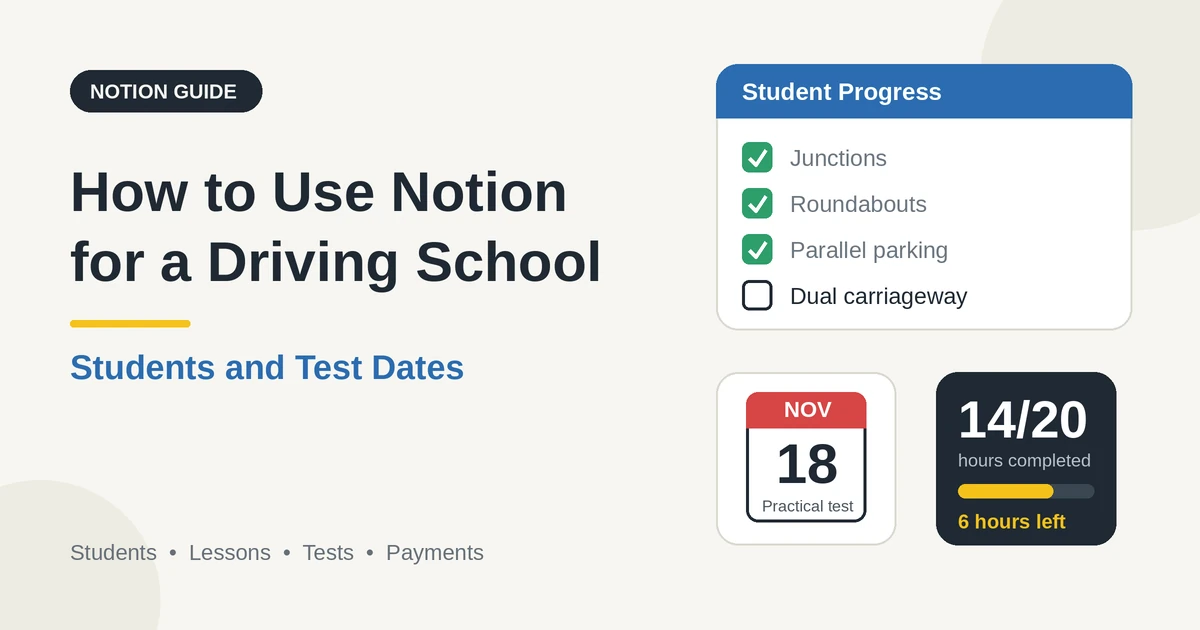
A student with a 20-hour package and 14 hours done has 6 hours left. The flag shows learners who’ve gone three weeks without a lesson, which is when many drift away.
Change the number to suit your pace. New students with no lesson yet have no last-lesson date, so filter them out of the flag, or give them a first date.
Add a second flag for the moment to offer more hours:
Top-Up Flag: if(and(prop("Status") == "Learning", prop("Hours Remaining") <= 2), "Offer more hours", "")
Make these views of Students:
> 💡 Pro Tip: Add a one-line “what I want to be able to do” to every student record, in their words, such as “Drive to my job on the motorway.” It makes lessons more motivating and gives you something specific to refer back to.
Lessons: Schedule, Record, Follow Up
Good lessons begin before the car starts and finish after it stops. A short record after each one is the difference between a student who’s moving forward and one who’s repeating the same mistakes.
Before the lesson, open the student’s page. Read the last lesson’s notes and the “next focus.” Check the skills still to sign off. You’ll start with a real plan, such as “We’ll do two roundabouts and a reverse bay park,” and not “What do you want to do today?”
After the lesson, fill in a Lesson template, with these short fields:
Write notes that help the next lesson, and that you’d be comfortable showing the student or a parent. “Hesitates at roundabouts when traffic is heavy; practise gap judgment on a quiet one first” is useful. “Needs more practice” isn’t.
For cancellations, add a property for the date and time it was cancelled, and a formula for late cancellations, using your policy’s notice period:
Late Cancellation Flag: if(and(prop("Status") == "Cancelled by Student", dateBetween(prop("Lesson Date and Time"), prop("Cancelled On"), "hours") < 24), "Late cancellation", "")
The flag shows lessons cancelled with less than 24 hours’ notice. Your terms decide what happens next, such as a cancellation fee, and local consumer rules may limit it, so check before you charge. Keep the policy clear and the same for everyone.
Make these views of Lessons:
Notion can’t block a double booking. Use timeline views grouped by Instructor and by Vehicle to check before you confirm, and keep your calendar as the source of truth for the schedule.
Skills and Test Readiness
Readiness is the question every learner asks, and the one it’s easiest to answer vaguely. A skills checklist gives you evidence.
On the Student template, add a row of checkboxes for the skills your syllabus covers. Use your own list, and your licensing body’s.
For example: vehicle controls, moving off and stopping, junctions, roundabouts, parking, dual carriageway or highway driving, independent driving, and hazard awareness. Tick each one only when you’ve seen the student do it well, consistently, in different conditions.
A formula can total them, because a checkbox converts to a number.
For an example with eight skills:
*Skills Signed Off: toNumber(prop("Controls")) + toNumber(prop("Moving Off")) + toNumber(prop("Junctions")) + toNumber(prop("Roundabouts")) + toNumber(prop("Parking")) + toNumber(prop("Highway")) + toNumber(prop("Independent")) + toNumber(prop("Hazards"))
Skills Percent: prop("Skills Signed Off") / 8*
Add the readiness prompt:
Test Review Flag: if(and(prop("Status") == "Learning", prop("Hours Completed") >= prop("Recommended Hours"), prop("Skills Percent") >= 0.9), "Review for test", "")
The flag shows learners with enough hours and nearly all skills signed off. It’s a prompt for a conversation and not a verdict. The instructor’s judgment, ideally after a mock test, decides whether to book.
A student can be ready with fewer hours than recommended, or need more.
Use a Mock Test lesson type, run it as closely to a real test as you can, and record the result in the notes.
A mock test is the best evidence you have, and it helps the student feel what the real one will be like.
Make these views:
Test Dates and Theory Validity
Test dates are the milestones that matter most, and missing one is expensive and upsetting. Track them carefully.
Create a Test record for every theory and practical test, with the student, the type, the date and time, the centre, and the status. Record who booked it, and the reference if your rules allow you to store it. If you book on behalf of students, use the process your licensing authority provides, and never store a student’s login details in Notion.
On Tests, add these formulas:
*Days Until Test: dateBetween(prop("Test Date and Time"), now(), "days")
Prep Flag: if(and(prop("Status") == "Booked", prop("Days Until Test") >= 0, prop("Days Until Test") <= 7), "Test week", "")*
The flag shows tests in the next seven days. In test week, book the final lesson and a mock test, check the vehicle, and message the student with what to bring and where to go.
Many places limit how long a theory test pass stays valid. Record the date passed and the validity in months, using your own rules, and add:
*Valid Until: dateAdd(prop("Passed On"), prop("Valid Months"), "months")
Expiry Flag: if(and(prop("Type") == "Theory", prop("Status") == "Passed", dateBetween(prop("Valid Until"), now(), "days") <= 90, dateBetween(prop("Valid Until"), now(), "days") >= 0), "Theory expiring", "")*
The flag shows theory passes that expire within 90 days. Cross-check it against students who haven’t passed their practical test yet, and plan the practical date early. The example numbers are placeholders, so use the validity period that applies where you work.
Use a Test Day checklist:
Record the outcome as Passed, Failed, or another status, with a short note of the feedback. For a fail, note the attempt number, schedule a debrief, and plan lessons around the feedback. If the student passes, set the status to Passed, ask kindly for a review if they’re happy, and keep the records as your rules require.
Make these views of Tests:
Instructors and Vehicles
The schedule depends on two things being legal and ready: the instructor and the car.
On Instructors, record each licence’s expiry date, and add:
Flag: if(dateBetween(prop("Licence Expiry"), now(), "days") <= 60, "Renew licence", "")
On Vehicles, record the insurance and safety check expiry, and the service point, and add:
*Document Flag: if(or(dateBetween(prop("Insurance Expiry"), now(), "days") <= 30, dateBetween(prop("Safety Check Expiry"), now(), "days") <= 30), "Renew documents", "")
Service Flag: if(prop("Next Service Odometer") - prop("Current Odometer") <= 500, "Service due", "")*
The flags show documents expiring in the next 30 days, and cars within 500 units of their service. Change the numbers to suit your rules.
Training cars have extra requirements in many places, such as dual controls and specific inspections, so check what applies to you, and record the date of each check.
Make these views:
Set the status to Out of Service on a vehicle that’s being repaired, and move its lessons to another car, so nobody turns up to a car that isn’t ready.
Payments, Packages, and Cancellations
Most driving schools sell either a package of hours or lessons one at a time. Write the terms in your agreement, and use Notion to track them.
Here is a made-up package. Amounts are in your own currency.
| Item | Value |
|---|---|
| Package | 20 hours |
| Price per hour | 45 |
| Package price | 900 |
| Paid in three installments | 3 × 300 |
| Hours completed | 14 |
| Hours remaining | 6 |
Paid Amount: if(prop("Status") == "Paid", prop("Amount"), 0)
Roll up Paid Amount on Students as Paid Total, and compare it with the value of the hours used and the package price. Add a late flag on Payments:
Late flag: if(prop("Status") == "Due" and dateBetween(now(), prop("Due Date"), "days") > 0, "Late", "")
A view called Payments due shows what’s coming and what’s late. Payments happen in your payment tool, and you update the status in Notion when the money arrives.
Test fees are usually paid by the student to the licensing authority and not to you, so don’t record them as your income unless you collect them. If a student withdraws, check your terms and the rules on refunds and unused hours, and record the decision and the date.
Be kind and clear in any reminder, and remember that a parent or guardian may be paying. Tax rules differ by country, so check what applies to you. Notion Receipt Template shows how to structure a receipt.
Incidents and Safety
Learning to drive is risky, and a documented, calm response to anything that goes wrong protects everyone.
Tick Incident Reported on any lesson where something unsafe or unusual happened, such as a collision, a near miss, a vehicle fault, or a student who became unwell or very distressed.
Record what happened, the date, time, and place, who was involved, and what you did, factually and briefly. Link to photos or reports in secure storage, and follow your insurance policy, your licensing rules, and the law on reporting and notifying people, including a parent or guardian of a minor.
Create a view called Incidents with every lesson where the box is ticked, restricted to the owner and the instructors who need it. If one vehicle, route, or student appears often, review what’s going on.
Also record, in the Vehicle notes, any defects found on a daily check, and fix them before the next lesson.
Your Business Numbers
A driving school has a few numbers worth watching. Here is a made-up month and a made-up quarter.
| Item | Value |
|---|---|
| Lessons scheduled | 500 |
| Lessons completed | 450 |
| Completion rate | 90% |
| Late cancellations | 25 |
| Late cancellation rate | 5% |
| No-shows | 10 |
| No-show rate | 2% |
| Hours delivered | 450 |
| Average rate | 45 |
| Lesson revenue | 20,250 |
| Tests taken (quarter) | 40 |
| Tests passed | 28 |
| Pass rate | 70% |
Divide completed by scheduled for the completion rate, and passed by taken for the pass rate. A rising late cancellation rate can point to unclear policy or poor reminders. A low pass rate may point to students booking too early, gaps in instruction, or a small sample.
Also watch hours per student before a test, the time from enrolment to test, students who drop out, instructor utilization, and where enquiries come from.
A small sample can mislead, so treat these as guides, and be careful about publishing pass rates, because many places have rules on how results are advertised. They leave out vehicle costs, fuel, insurance, wages, and tax, so check the full figures with an accountant. Test every formula with made-up numbers and check it with a calculator.
A Wednesday for a Small Driving School
To see how the pieces fit, here is one made-up Wednesday for an owner-instructor with two other instructors.
8:00 am. She opens the Today view. Nine lessons are booked across three instructors and three cars. Each shows the student, the pickup location, and last lesson’s “next focus.”
8:30 am. The Needs attention view shows one car whose safety check expires in three weeks. She books it.
9:00 am. First lesson. She teaches, doesn’t type, and afterwards fills in the template in two minutes: roundabouts improving, hesitation on exit, next focus on lane discipline.
11:00 am. The Test week flag shows a student with a practical test on Friday. She books a mock test for this afternoon and checks the vehicle.
1:00 pm. The Check-in view shows a learner who hasn’t had a lesson in 24 days. She sends a friendly message and offers two slots.
2:00 pm. The Theory expiring view shows a student whose theory pass runs out in 70 days and who hasn’t booked a practical. She talks to the student about a date, and sets the test to To Book.
3:30 pm. The Test review view shows two students with enough hours and skills. She schedules mock tests, and puts both on the cancellation list.
5:00 pm. She sets a student’s status to Ready to Generate. The progress report goes to the student and a parent as a PDF.
Nothing depended on anyone’s memory.
The Documents That Leave Notion
Students and parents don’t use your workspace, so some records need to become files:
For a single page, you can use Notion’s export option. How to Export Notion to PDF shows the settings. Students and parents judge a driving school partly by the clarity of its paperwork, and Notion’s own export gives you limited control over layout.
Generating PDFs with PDFOutput
PDFOutput creates documents from your Notion data using a template. A template can be a Google document, a Word file, a PDF file, or a Notion page. If you already have a confirmation or report layout in Word or Google Docs, you can reuse it.
Here is how it works:
These are some of the status options:
The e-signed option may help with learner agreements, including a guardian’s signature for a minor. Whether an electronic signature is valid for a given agreement depends on your location, the age of the signer, and the type of document, so check before you rely on it. You can save the finished file to a property in your database, so a report stays on the student record. You can also save it to a Google Drive folder and store the link in a property.
Two kinds of document work well.
A progress report uses the fields on one student record: the package, the hours completed and remaining, the skills signed off, the strengths, and the next steps as text.
A lesson confirmation uses the fields on one lesson record: the date, the time, the pickup location, the instructor, and the focus. If you’d like a report that lists every lesson, test a template with a sample student who has several, and check that each appears.
If it doesn’t, write a short summary of recent lessons as text on the student record, and use that in the template.
Before using any document tool with information about your students, ask the provider how data is handled, where it’s stored, and what agreements are available, and keep the answers with your records.
This matters more when students are minors. The safest approach is to generate documents from records that hold only what the recipient should see.
Don’t put login details, ID numbers, or health information on a document. Check the name and the recipient on every document before you send it, especially when a parent and a student have different details.
Start with the progress report, since students and parents value it most.
Use Preview first and check for empty fields, the right student, and wording you’re happy for the student, and a parent, to read.
> 📌 Key Takeaway: Give every student a package and a skills checklist, record every lesson with the same short template, and let formulas show hours left, who’s gone quiet, and which tests and theory certificates need attention. Then confirmations, progress reports, and invoices come from records you already have.
Who Can See What
Your workspace will hold personal details about students, many of them young, so control access tightly.
Common Mistakes
Letting learners drift. A student with no lesson for a month is a likely dropout. Use the check-in flag.
Missing a theory expiry. A certificate that lapses before the practical test costs the student time and money. Use the expiry flag.
Booking too early or too late. Use hours, skills, and a mock test, and not just the calendar, to decide.
Storing licensing logins. Never keep a student’s account details in Notion.
Vague lesson notes. “Needs more practice” helps nobody. Write what to practise, and where.
Ignoring minors’ rules. Know who you may speak to and what you may store about a student under 18.
Promising results. Describe what you’ll teach, not a guaranteed pass, and follow the rules on advertising pass rates.
Double-booking cars and instructors. Check the timelines, and keep your calendar as the source of truth.
Neglecting documents. An expired insurance, safety check, or licence can stop lessons. Use the flags.
Too many properties. If a lesson record takes ten minutes, it won’t get filled in. Keep the template short.
No owner for the structure. If more than one person edits the workspace, pick one person responsible for the setup. Properties get renamed and formulas break, so tell that person not to rename properties used in PDF templates, because the placeholders must match exactly.
Skipping a test. Run a month with made-up students first, and fix what annoys you before you use real records.
Frequently Asked Questions
Can Notion be used to run a driving school?
Yes, for the working records. It can organize students, lessons, tests, instructors, vehicles, and payments. It doesn’t offer online booking, test booking with the licensing authority, payments, or automatic reminders, and it doesn’t replace any record your regulator requires.
How do I track driving lesson hours in Notion?
Record each lesson with its duration and status, add a helper formula that returns the duration only when the lesson is Done, and roll it up on the student as Hours Completed. Subtract it from the package hours for the hours remaining.
How do I track driving test dates in Notion?
Create a Tests database linked to each student, with the type, date, time, centre, and status. Use a formula for the days until the test, and flag tests in the next seven days. Add a validity date for theory passes, and flag those that are about to expire.
How do I know when a student is ready for a test?
Use evidence: the hours completed, a skills checklist, and a mock test, then add a formula that flags students who meet your thresholds. Treat the flag as a prompt for the instructor’s judgment, and not as a decision.
Is it safe to store student information in Notion?
Notion lets you control who sees each page, but your duties depend on the rules where you work, and they are stricter for minors. Collect only what you need, keep licensing logins, ID numbers, and card details out, keep health and guardian details on restricted pages, and limit access to the people who need it.
Can I create progress reports and confirmations from Notion?
You can export a page as a PDF, or use a template-based tool such as PDFOutput to fill a report or confirmation template with data from each record. Put the key facts in clearly named properties on one record, test it on a few sample records first, and check each document before you send it.
Can Notion keep the lesson records my regulator requires?
It can hold your own working notes, but whether it meets a legal record requirement depends on your regulator and your rules. Find out what’s required where you work, use the required system or format if there is one, and link to it from Notion.
Related Reading
A good driving school setup in Notion keeps every learner moving: a package and a skills checklist for each student, a short and specific note after every lesson, a clear view of hours left and who’s gone quiet, and test dates and theory expiry that never sneak up. Keep logins, ID details, and health information out, take extra care with minors, follow your local rules on records and advertising, and run a month with made-up students first. When your confirmations, progress reports, and invoices need to leave Notion, PDFOutput can fill your template from each record and save the PDF to your chosen storage.
Want progress reports and confirmations as clean PDFs? Try PDFOutput.