Compare
PDFOutput vs Zencrumbs : Which Notion PDF Generator Fits Your Workflow?
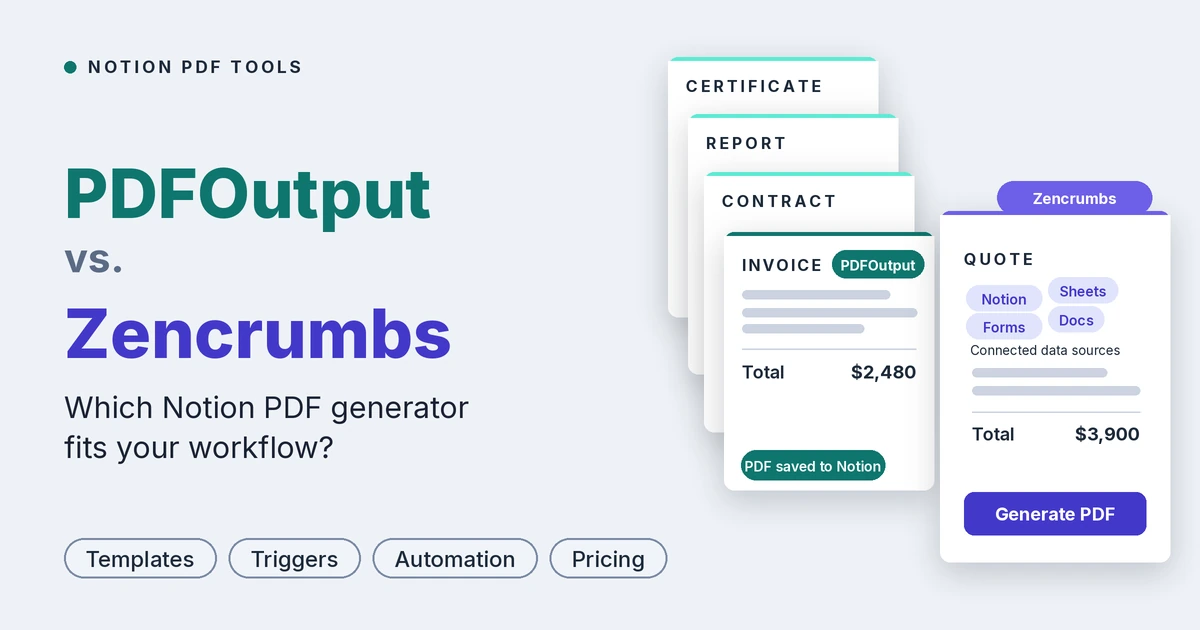
PDFOutput vs Zencrumbs: compare templates, triggers, output formats, e-signatures and pricing to find the best Notion PDF generator.
By Sanat Biswal · 2026-11-02 · 5 min read
{/ synced-from-notion — do not edit manually /}
PDFOutput vs. Zencrumbs: Which Notion PDF Generator Fits Your Workflow?
PDFOutput and Zencrumbs both turn Notion database records into finished PDFs, but they take different approaches.
Zencrumbs has you design every template inside its own built-in editor. PDFOutput lets you start from the documents your team already has (Google Docs, Word, PDF, or Notion pages) and adds the automation around them: triggers, multiple templates, more output formats and e-signatures.
If you’re tired of copying data into invoices, contracts and proposals by hand, either tool can generate the PDF for you.
The real question is how much flexibility you need in your templates and your workflow.
We built PDFOutput for teams that run on Notion and want that flexibility, so this guide compares the two on templates, document features, automation, e-signatures, pricing and support as of November 2026.
Quick verdict
- Choose PDFOutput if you want to design in Google Docs, Word, PDF or Notion pages, run several templates from one automation, output PDF, Word, Google Docs and PPTX, trigger generation from a button, schedule or status change, and send generated documents for e-signature.
- Choose Zencrumbs if you’re happy designing inside a single built-in editor, mostly need straightforward PDFs, want to edit templates from your phone.
- Both are Notion-focused and both are listed in Notion’s Connections gallery. PDFOutput goes deeper on templates, automation and output options.
- You design a template.
- You add placeholders in double curly brackets, such as
{{Client_Name}}or{{Invoice_Amount}}. - You connect a Notion database, and PDFOutput replaces each placeholder with the matching property value.
- Multiple databases: relations and rollups let one document use values from several databases.
- Line items: link an invoice to a database of items and they appear as line items, including item images.
- Multiple templates: attach several templates to one automation, such as different layouts for different clients.
- Batch generation and merging: generate one file for every row, or merge several PDFs into one pack.
- E-signatures: send generated PDFs for signature without another tool.
- Images: insert Notion image properties with adjustable size.
- No middleware: no Zapier or Make required.
- Set up your Notion database with a property for each changing value, such as
Client_NameorDue_Date. - Build a template in Word, Google Docs, an existing PDF or a Notion page and add matching placeholders.
- Connect the template in PDFOutput, choose the database and match the fields.
- Choose an output file name from a database property and generate a preview.
- Once the preview looks right, set up the automation and generate documents with a button, schedule or status change.
- Connect Notion and choose your database.
- Design a template in the Zencrumbs editor, adding
@property fields. - Pick a database page, review the preview and download the PDF.
- PDFOutput accepts Google Docs, Word files, existing PDFs and Notion pages as templates. Your brand, fonts, spacing and layout come along exactly as you built them, and staff can edit a record without touching the design. We also publish free ready-made Notion templates for common documents such as orders, quotations, business proposals and fee agreements.
- Zencrumbs uses its own editor for text, tables, images and brand details. It’s simple and self-contained, and you can reuse saved templates with more database pages, but an existing Word or Google Docs design has to be rebuilt inside it.
- PDFOutput produces PDF, Word, Google Docs and PPTX from one record, merges PDFs into packs, lets you name each file from any property, and shows items with images inside line-item tables, which helps for product catalogues and quotes.
- Zencrumbs repeats a table row for each related Notion page, supports custom filenames and image uploads (3 MB per image on Essential, 8 MB on Business), and delivers batches as a ZIP.
- PDFOutput can generate on demand with a button, run on a schedule for recurring documents, or fire in real time when a record reaches a chosen status. It supports batches, merged PDFs and automatic Google Drive storage, and writes the finished file back into your Notion database. Everything is configured inside PDFOutput.
- Zencrumbs is a select-and-generate workflow: you choose pages in the app and download the results. Its public pages don’t list button, schedule or status-change triggers.
- PDFOutput supports e-signatures on the PDFs it generates, with no extra tool to connect.
- Zencrumbs doesn’t list e-signatures, so signing would need a separate product.
- Just getting started: both are low-risk. PDFOutput gives you 10 free documents with every feature available, enough to test a real invoice, contract and certificate. Zencrumbs’ free plan allows one watermarked template.
- Basic PDFs, one or two layouts, small batches: Zencrumbs Essential at $14.90 per month is the lowest-cost route.
- Growing teams with many layouts or larger batches: Zencrumbs’ limits start to bite, with 10 templates and 10 PDFs per batch on Essential, and Business at $29.90 needed to lift them. At that point PDFOutput’s $29 plan costs about the same, and adds multiple templates per automation, four output formats, triggers, merging and e-signatures.
- High volume: PDFOutput’s unlimited plan is $199 per month with no cap, for teams that need documents generated automatically at scale.
- PDFOutput offers direct live chat support from the founder for any issue you raise. We also publish tutorials and demos on this blog, a features page and free Notion templates you can duplicate and adapt.
- Zencrumbs offers email support on Starter and Essential, priority email on Business, and a Help Center.
- Strengths: Notion-native design, flexible template choices (Google Docs, Word, PDF, Notion pages), PDF, Word, Google Docs and PPTX outputs, button, scheduled and status-based triggers, several templates on one automation, multiple databases through relations and rollups, PDF merging, e-signatures, an unlimited-document plan, no middleware required, and live chat with the founder.
- Limitations: it’s built for Notion, so it makes the most sense when Notion is already your source of truth.
- Strengths: simple all-in-one editor, dynamic table rows for related pages, mobile template editing, a free plan, a lower entry price, and unlimited PDF downloads on every plan.
- Limitations: templates must be built in its own editor, PDF-only output, a 1-template free tier with a watermark, 10 templates and 10 PDFs per batch on Essential, image size caps, and no listed triggers, PDF merging or e-signatures.
- Bring your own templates. Google Docs, Word, PDF or Notion pages work as they are, with no rebuilding in a new editor.
- Automation, not just export. A button or status change starts generation, and the file is saved back to Notion.
- Several templates on one automation. Different invoice layouts for different clients live in one setup.
- More output formats from one record. PDF, Word, Google Docs and PPTX instead of PDF only.
- E-signatures and PDF merging built in. Contracts and document packs without extra tools.
- No watermark limits on testing. Try every feature on up to 10 documents free.
- A direct line to the founder. Live chat support from the person who built the product.
- Already have templates in Google Docs, Word, PDF or Notion pages.
- Need several template layouts on one automation.
- Need Word, Google Docs or PPTX output as well as PDF.
- Want documents generated automatically by a button, schedule or status change.
- Need e-signatures or merged PDF packs.
- Want an unlimited-document plan with no cap.
- Prefer designing inside a single built-in editor.
- Mostly need simple PDFs from a small number of templates.
- Want to edit templates on your phone.
- Want the lowest monthly price to get started.
Let’s dive in.
At a glance
| PDFOutput | Zencrumbs | |
|---|---|---|
| Built for | Document generation from Notion databases | Notion database to PDF |
| Templates | Google Docs, Word, existing PDFs or Notion pages | Built-in template editor |
| Output formats | PDF, Word, Google Docs and PPTX | |
| Multiple templates on one automation | Yes, e.g. different invoice layouts for different clients | Not listed (templates are chosen one at a time) |
| Bulk generation | Yes, one file per row | Yes, as a ZIP (10 PDFs on Essential, unlimited on Business) |
| Merge PDFs | Yes | Not listed |
| Notion triggers | Button in Notion, schedule, or status change | Select pages and generate from the app |
| Multiple databases | Yes, through relations and rollups | Yes, repeating rows for related pages via Relation properties |
| Line items | Yes, including items with images | Yes, dynamic table rows |
| E-signatures | Yes, on generated PDFs | Not listed |
| Save back to Notion / Google Drive | Yes, back to the database, with optional Google Drive copy | Download-based |
| Mobile template editing | Available | Yes |
| Free option | Up to 10 free documents on any plan | Free Starter plan (1 template, watermark) |
| Paid plans |
What is PDFOutput?
PDFOutput generates documents from your Notion database.
You start generation with a button in Notion, or automatically when a record’s status changes. Each finished file is saved back to the same database, and you can optionally keep a copy in Google Drive.
Here is how it works:
Templates can be Google Docs, Word files, existing PDF files or Notion pages. Beyond PDFs, PDFOutput can produce Word files, Google Docs and PPTX files from the same record.
Typical uses include invoices, quotes, contracts, certificates, inspection reports, attendance sheets, delivery notes and client updates.
Key features of PDFOutput
What is Zencrumbs?
Zencrumbs is a Notion database-to-PDF tool built around its own template editor. You connect Notion, design a reusable template with @ references to your database properties, preview it, and download the PDF.
It supports repeating table rows for related Notion pages, batch downloads in a ZIP, custom filenames, image uploads and mobile template editing.
The trade-off is scope.
Templates live inside Zencrumbs’ editor, output is PDF, and its public pages don’t list triggers, e-signatures, PDF merging or additional output formats.
How setup works
PDFOutput
Zencrumbs
Both are no-code.
The difference is where the design work happens:
with PDFOutput you bring a design you already own, while with Zencrumbs you build or rebuild it inside the editor.
Templates and design
This is the clearest difference between the two.
The practical difference is reuse. If your team already has a contract in Word, an invoice in Google Docs or proposals written as Notion pages, PDFOutput uses them as they are.
Document features
For everyday documents the two tools overlap on line items, images and batch generation. Beyond that:
Invoices and other business documents
In PDFOutput you design the invoice or any other document in the tool you already use, so layout, branding and wording match your business exactly.
You can keep several versions on one automation, such as a proforma invoice, a credit note or a client-specific layout, and generate them in batches or automatically when a record’s status changes. The same pattern covers contracts, certificates, reports, delivery notes and attendance sheets.
Zencrumbs covers invoices, proposals and reports well within its editor, but each layout is a separate template to build and maintain.
Automation and triggers in Notion
How a document gets triggered decides how much manual work remains.
If documents should appear on their own when a deal closes, an invoice is approved or a status flips to “Ready,” PDFOutput automates that end to end.
E-signatures
For contracts, agreements and offer letters, keeping generation, signing and storage in one Notion-centred workflow means fewer tools and less friction.
Pricing
The prices below were checked in November 2026. See PDFOutput’s pricing page and Zencrumbs’ pricing for current plans.
PDFOutput
Every plan can be tried free for up to 10 documents. Annual plans count documents per year, so a busy month can borrow from a quieter one.
| Documents | Monthly price | Annual price |
|---|---|---|
| 200 per month | $29 per month | $290 per year |
| 1,000 per month | $59 per month | $590 per year |
| Unlimited | $199 per month | $1,990 per year |
Every plan includes unlimited PDF downloads and dynamic table rows for related pages.
| Plan | Price | Templates | Images | Batch ZIP | Watermark |
|---|---|---|---|---|---|
| Starter | $0 | 1 | No upload | Individual downloads | Yes |
| Essential | $14.90 per month | 10 | 3 MB | Up to 10 PDFs | No |
| Business | $29.90 per month | Unlimited | 8 MB | Unlimited PDFs | No |
On sticker price alone, Zencrumbs is the cheaper tool, and it’s worth being upfront about that.
The bottom line: if you only need to export PDFs from a single built-in editor, Zencrumbs costs less.
If you want automation, customizable templates, multiple document formats, batch export and e-signatures, PDFOutput gives you far more for a small step up in price.
Support and learning resources
Strengths and limitations
PDFOutput
Zencrumbs
Where PDFOutput stands out ahead for Notion teams?
What should you choose to begin with?
Choose PDFOutput if you:
Choose Zencrumbs if you:
Final verdict
Both tools turn Notion data into professional PDFs, and both save hours of manual work.
Zencrumbs is a good fit when you want a simple, low-cost editor-and-export workflow for a handful of templates.
PDFOutput is the better fit when you want flexibility and automation. It accepts Google Docs, Word, PDF and Notion pages as templates, runs several templates from one automation, produces PDF, Word, Google Docs and PPTX from the same record, triggers from a button, schedule or status change, and includes e-signatures. For most teams whose documents start in Notion and need to scale, that makes it the stronger choice.
A practical way to decide is to run the same test in both. Take one invoice, one contract and one report, generate them from a handful of Notion records, and compare setup time, layout quality and cost.
If your documents start in Notion, see how PDFOutput maps your Notion fields to templates and try it free on up to 10 documents.
FAQ
Do both tools work with Notion?
Yes. Both connect to Notion databases and are listed in Notion’s Connections gallery.
Can I use my existing Word or Google Docs templates?
In PDFOutput, yes: it accepts Google Docs, Word, existing PDFs and Notion pages. Zencrumbs uses its own built-in editor.
Can I use a Notion page as a template?
In PDFOutput, yes. Zencrumbs templates are built in its own editor.
Is there a free option?
Yes for both. PDFOutput lets you generate up to 10 documents free on any plan. Zencrumbs has a free Starter plan with 1 template and a watermark.
Can either tool handle invoices with line items?
Yes. PDFOutput brings line items in through Notion relations and rollups, including items with images. Zencrumbs repeats a table row for each related Notion page.
Which tool offers more output formats?
PDFOutput produces PDF, Word, Google Docs and PPTX. Zencrumbs produces PDF.
Do I need Zapier or Make to trigger documents from Notion?
Not with PDFOutput, which triggers from a button, a schedule or a status change.
Do both tools support e-signatures?
PDFOutput supports e-signatures on generated PDFs. Zencrumbs doesn’t list e-signatures.
Which tool is cheaper?
Zencrumbs has the lower entry price ($14.90 per month for Essential). PDFOutput starts at $29 per month and includes multiple templates per automation, more output formats, triggers, merging and e-signatures. For unlimited-volume automation, PDFOutput’s unlimited plan costs $199 per month.
Can I use both tools together?
Yes. They’re independent, so you can try both on the same Notion database.