Compare
PDFOutput vs. Portant: Which Document Automation Tool Fits Your Notion Workflow?
PDFOutput vs Portant: compare data sources, templates, triggers, e-signatures and pricing to find the best document automation tool for Notion.
By Sanat Biswal · 2026-10-25 · 5 min read
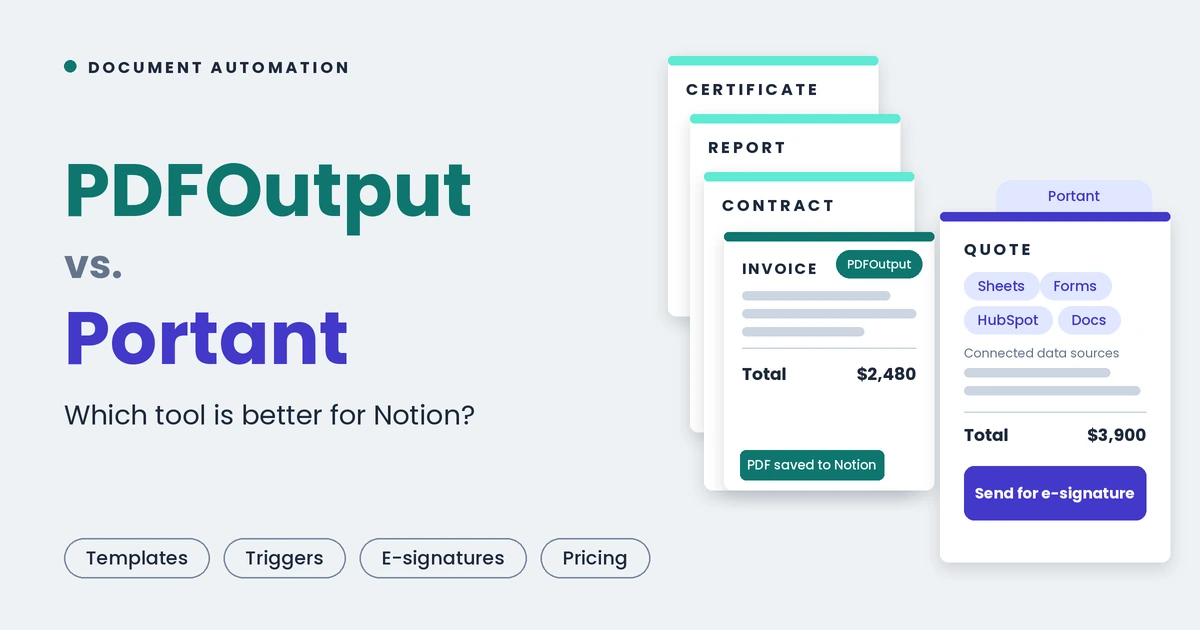
{/ synced-from-notion — do not edit manually /}
October 25, 2026 · @Sanat Biswal
Picture a Friday afternoon.
Forty records sit in a Notion database, each marked Approved. Some need an invoice with the right logo and total. Some need a quote with line items, others a fee agreement ready to sign, and the workshop attendees need their certificates. All of it has to go out before the weekend.
You can paste them into templates one by one, or you can press a button and close your laptop.
Portant and PDFOutput both offer the second option.
They just disagree about where your data should live.
Portant grew up around HubSpot deals and Google Sheets.
PDFOutput does one job: it turns records in a Notion database into finished documents, and everything about it is shaped around that.
That single difference settles most of this comparison, so we start there. Everything below comes from what each product publishes about itself (product pages, marketplace listings and pricing) as of October 2026.
The short version
Ask where your records live, and the choice mostly makes itself.
| Your records live in | Reach for |
|---|---|
| Notion | PDFOutput |
| HubSpot deals and contacts | Portant |
| Google Sheets or Google Forms | Portant |
| Notion and HubSpot | PDFOutput for the Notion documents, Portant for the sales ones |
PDFOutput vs Portant? How both tools work
So the real question is not which tool has more features. It is which one can see your data at all.
From Notion record to finished document
The easiest way to feel the difference is to follow a single document through each tool. Take a client quote, a signed agreement or a course certificate. The steps are the same.
| Step | PDFOutput | Portant |
|---|---|---|
| Where the data starts | A row in a Notion database | A HubSpot deal, a Google Sheets row or a Google Forms response |
| What you design | A template in Google Docs, Word, PDF or a Notion page, with \{\{placeholders\}\} | A template in Google Docs, Slides, Sheets, Word, PowerPoint or fillable PDF, with merge fields |
| How data connects | Choose the Notion database and match each placeholder to a property | Install the HubSpot app and map deal, contact or company properties, or link a sheet or form |
| What starts the run | A button in Notion, a schedule, or a status change | A HubSpot workflow step such as a deal stage change, a Sheets or Forms event, a webhook or Zapier |
| Where the result lands | On the Notion record it came from, plus an optional Google Drive copy | A HubSpot document record, Google Drive, OneDrive, or an email through Gmail or Outlook |
| How it gets signed | An e-signature request on the generated PDF | Portant’s e-signature, with multiple signers, approval steps and automatic follow-ups |
You would export your database to Google Sheets, or wire up a webhook or Zapier route, before Portant could even see the record behind your quote, contract or certificate.
With PDFOutput the Notion row is the starting point and the end point, and nothing sits in between: no export, no middleware, no second place to keep in sync.
Templates: what you can bring along
Nobody wants to redraw a quote, an agreement or a report layout they already like. Both tools let you keep your own design, and the lists overlap more than you might expect.
Feature check
A quick scorecard for the things people ask about most. Both are strong on the basics, and each has a few extras the other lacks.
| Feature | PDFOutput | Portant |
|---|---|---|
| Reads Notion databases | Yes, built in | Not listed |
| Notion pages as templates | Yes | No |
| Several templates on one automation | Yes, for example a different quote or proposal layout per client | Not described that way |
| Line items | Yes, with item images, through relations and rollups (useful for invoices, quotes and order confirmations) | Yes, line item tables from HubSpot data |
| Data from several databases in one file | Yes | Not applicable to Notion |
| Merge generated PDFs into one pack | Yes, such as a proposal, terms and a fee schedule in a single file | Not listed |
| Output formats | PDF, Word, Google Docs, PPTX | PDF, Google Docs, Slides, Sheets, Word, PowerPoint, Excel |
| Saves the file back to your data | Yes, onto the Notion record | Yes, onto the HubSpot record |
Portant adds sales-process extras inside HubSpot.
PDFOutput covers the document side of a Notion workflow more completely, and covers it where you already work.
Signing, security and developer access
A generated contract is only half the job. Someone still has to sign it.
What it costs, in real numbers
Pricing is where the two products reveal how they were designed.
PDFOutput charges for documents. Portant charges for documents and for people.
PDFOutput lets you try any plan free for up to 10 documents. After that:
| Plan | Monthly | Yearly |
|---|---|---|
| 200 documents a month | $29 | $290 (2,400 documents a year) |
| 1,000 documents a month | $59 | $590 (12,000 documents a year) |
| Unlimited | $199 | $1,990 |
Portant has a Free plan (30 documents a month, Portant branding, one signer per document), Pro at $49 a month or $42 a month billed yearly ($504 a year) for 2,000 documents and one user, Team for 5,000 documents and five users with extra users at $30 a month, and custom Enterprise terms.
Team shows up at different prices across Portant’s own pages and third-party summaries, from $109 to $149 a month, so confirm it before you buy. Payments taken through signing flows also carry a Portant fee of 0.5% to 5% depending on the plan, plus Stripe’s fees.
Here is what a few realistic situations cost. Think of a mix of quotes, contracts, invoices and reports:
| Your situation | PDFOutput | Portant |
|---|---|---|
| Testing with a few real documents | 10 free documents | Free plan, 30 documents a month with branding |
| About 200 documents a month, one person | $29 a month ($290 a year) | Pro, $49 a month ($504 a year) |
| About 1,000 documents a month, one person | $59 a month ($590 a year) | Pro, $49 a month ($504 a year) |
| About 2,000 documents a month, one person | Unlimited, $199 a month | Pro, $49 a month |
| A five-person team, about 1,000 documents | $59 a month | Team, $109 to $149 a month |
| 5,000 documents or more | Unlimited, $199 a month, no cap | Team up to 5,000, then Enterprise |
Everyone else, meaning small Notion teams, anyone with colleagues using the tool, and anyone heading past 5,000 documents, pays less with PDFOutput.
And for a Notion team, a lower price does not help if the tool cannot read your database.
When something goes wrong
Portant offers chat and email support on every plan, priority support on Team and a dedicated account manager on Enterprise.
PDFOutput puts you in a live chat with the founder for any issue you raise, whatever plan you are on, and backs that up with tutorials, demos on this blog, a features page and free Notion templates.
When a client contract comes out with the wrong terms at 4 p.m. on a Friday, being able to message the person who built the tool counts for a lot.
Why Notion teams end up on PDFOutput
It starts with the plumbing.
PDFOutput connects to your Notion workspace directly, so there is no export step, no spreadsheet that drifts out of date and no Zapier scenario to babysit. A change to a record in Notion is a change to the next document, with nothing in between to forget.
Then there is the way it fits how Notion teams already work. A status property flips to Approved and the client agreement generates. A button on a project page produces the completion certificate. A schedule sends the monthly report. An invoice goes out when a deliverable is marked Done. Those triggers live inside PDFOutput and read the same properties your team already updates every day.
The results stay where the work is. Each generated file is written back to the Notion record that produced it, so the contract, its signature status and its history sit in one row instead of being scattered across a drive. You can keep several template layouts on one automation, such as a different quote design for each client, merge PDFs into a single pack, and output Word, Google Docs or PPTX from the same record when a client wants something editable.
And then the price. Because PDFOutput charges for documents and not for seats, a whole team can use it without anyone counting heads. It starts at $29 a month, runs to an unlimited plan at $199 with no ceiling, and its yearly plans pool documents across the year so a busy month never catches you out.
When Portant is the right call
If your sales team lives in HubSpot, Portant is a strong choice and you should use it.
Documents generated from deals, workflows that react when a proposal is viewed or signed, approval steps, payment links and an API all work well together there, and a single user at high volume gets very good value from the Pro plan. Teams that keep their data in Google Sheets or Forms will also feel at home. It is simply a different tool for a different home base.
Our pick
If your documents start in Notion, choose PDFOutput. It reads your databases directly, uses your Google Docs, Word, PDF or Notion pages as templates, triggers from a button, a schedule or a status change, saves everything back to the record, signs it, and costs less for almost every Notion team we can picture.
If you are still weighing it, try one real job in each: a quote, a certificate, a report, generated from a handful of live records. Whichever finishes with less fuss is your answer. For Notion data, we expect that to be PDFOutput, and you can see how it maps your Notion fields to templates and generate up to 10 documents free.
Questions people ask
Can Portant read my Notion database?
Not as far as its published materials show. Portant lists HubSpot, Google Sheets, Google Forms, Xero, webhooks and Zapier as sources. A Notion team would have to export to Sheets or build a webhook or Zapier route first. PDFOutput reads Notion databases directly.
Is Portant only for HubSpot users?
No. It also works with Google Sheets and Google Forms. But its workflows, document records and signing are built around HubSpot deals, and that is where it is strongest.
Can I use a Notion page as my template?
With PDFOutput, yes. That works for quotes, proposals, agreements or any other document your team already keeps as a Notion page. Portant’s templates are Google Docs, Slides, Sheets, Word, PowerPoint and fillable PDF.
Do I get to try before paying?
Both let you. PDFOutput gives you up to 10 free documents on any plan. Portant has a Free plan with 30 documents a month, Portant branding and one signer per document.
Does the price change with the number of people using it?
On Portant, yes. Free and Pro include one user, Team includes five, and extra users cost $30 a month. PDFOutput plans are priced by document volume.
Which one handles documents with line items, like invoices, quotes and order confirmations?
Both. PDFOutput builds line items from linked Notion databases through relations and rollups, including item images. Portant builds line item tables from HubSpot data.
Do I need an API?
Only if your own software creates the documents. Portant offers an API and webhooks on paid plans. PDFOutput is built for no-code teams and does not list a public API.
Can I run both?
Yes, and some teams do: PDFOutput for documents that start in Notion, such as agreements, certificates and reports, and Portant for sales documents that start in HubSpot. They do not interfere with each other.