Compare
PDFOutput vs. Pop Invoice: Which Notion PDF Tool Is Right for You?
PDFOutput or Pop Invoice? See how the two Notion PDF tools differ on templates, automation, invoicing and pricing, and which one fits your workflow.
By Sanat Biswal · 2026-10-24 · 5 min read
{/ synced-from-notion — do not edit manually /}
PDFOutput vs. Pop Invoice: Which Notion PDF Tool Is Right for You?
If your business runs on Notion, both PDFOutput and Pop Invoice can turn database rows into finished PDFs without copy-pasting.
The difference is scope:
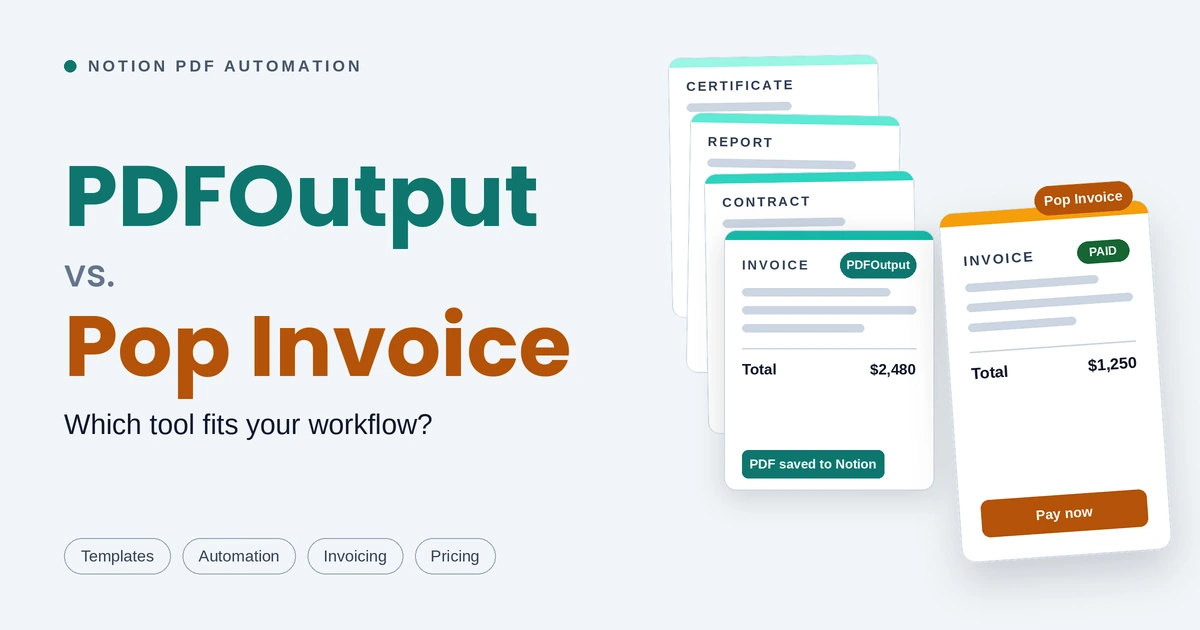
PDFOutput is a general document generator which can help automate any of your document requirement needs.
At the same time Pop Invoice is built only for invoicing.
This guide compares them on many aspects such as templates, automation, invoicing features and pricing, based on each product's public pages listed as of October 2026.
QuickVerdict
- Choose PDFOutput if you generate more than invoices (contracts, quotes, certificates, reports, delivery notes) or want to design templates in Google Docs or Word File or existing PDF File or even a Notion Page.
- Choose Pop Invoice if invoicing is the only job you want to automate along with email delivery, overdue reminders, payment links and payment tracking in one place. Popinvoice has pre-built notion invoice template linked to your setup and doesn’t provide flexibility or customization for designing the template
- You start with designing a template.
- Add placeholders in double curly brackets such as \{\{Client_Name\}\} or \{\{Invoice_Amount\}\}
- Connect a Notion database, and PDFOutput replaces each placeholder with the matching property value
- Setup your Notion Database with the Notion properties for each value that changes, such as Client_Name or Due_Date.
- Build a template in Word File, Google Docs, an existing PDF File or even a Notion Page and add placeholders. Each placeholder must match the Notion property name exactly. Eg : Placeholder \{\{Client_Name\}\} would match the property Client_Name, \{\{Due_Date\}\} would match the property Due_Date and so on.
- Connect the template in PDFOutput, choose the Notion database with the fields matched to each other.
- Choose an output name by selecting the property from Notion Database (for example Client_Name) and then generate a preview document.
- Once satisfied with the preview document generated, setup the automation and start generating PDFs directly inside Notion Database using button or changing status record.
- PDFOutput supports multiple database through relation and rollups and can generate PDFs using values from multiple databases as well. Eg: An invoice generated can fetch invoice details from Invoice Database and Client Details from the Client Database connected through relation and rollup.
- PDFOutput supports line items through Notion relations and rollups. Eg: An invoice can be linked to a database of items, and those items appear as line items in the generated document.
- Sign up and connect your Notion workspace.
- Use the included Notion template databases, or connect your own and configure the Notion properties.
- Customise the invoice template with your logo and details.
- Create the PDF invoice, then email it or let it save back to Notion.
- PDFOutput makes the most sense when Notion is already your source of truth. If you only create a document once in a while, manual work may be faster.
- Pop Invoice only creates invoices, and only from Notion data. The free plan stops at 3 invoices a month.
- Produce several document types, not only invoices
- Already keep templates in Google Docs or Word
- Need batches, merged PDF packs, or scheduled and status-triggered runs
- Want output as Word, Google Docs or PPTX as well as PDF
- Are a freelancer, consultant or small business whose main need is invoicing
- Want email, reminders and payment links without extra tools
- Prefer a ready-made invoice setup with a Notion template included
- Send only a few invoices a month and want to start free
Choose PDFOutput if you want flexible, customisable templates and need to generate more than invoices. Choose Pop Invoice if invoices are all you need and you want payment tracking, reminders and email delivery built in.
Let’s dive in…
What is PDFOutput?
PDFOutput generates documents from your Notion database. You can start generation with a button in Notion, or automatically when a record's status changes. Each PDF is saved right back to the same database, and you can optionally save a copy to Google Drive as well.
Here’s how it works:
Note: Templates can be Google Docs, Word files, existing PDF files or Notion pages.
Beyond PDFs, it can also produce Word files, Google Docs and PPTX files from the same record. Typical uses includes invoices, quotes, contracts, certificates, inspection reports, attendance sheets, delivery notes, client updates etc.
What is Pop Invoice?
Pop Invoice creates only professional PDF invoices from your Notion data.
It is aimed towards freelancers and small businesses. It syncs with your Notion databases, saves the PDF invoice back to Notion, emails it to your client, sends automated reminders for upcoming and overdue payments, and can embed payment links (Stripe, PayPal, WorldPay) in the invoice.
It comes with a ready-made Notion invoice template (which is non editable), and you can connect your own database to begin with.
How setup works
PDFOutput
Key Features of PDFOutput :
Pop Invoice
Note : PopInvoice only supports creation of Invoices and doesn’t support creation of any other documents as such.
Features comparison (PDFOutput vs PopInvoice)
| Feature | PDFOutput | Pop Invoice |
|---|---|---|
| Built for | General document automation | Invoicing |
| Data source | Notion databases | Notion databases |
| Document types | Invoices, quotes, contracts, certificates, reports, delivery notes, attendance sheets and more | Only Invoices |
| Template creation | Word, Google Docs, existing PDFs or Notion pages, with \{\{placeholders\}\} | Predefine Invoice template with your logo and details; multiple templates supported |
| Output formats | PDF, Word, Google Docs, PPTX | |
| Batch generation | Supports batch generation of PDFs | Not described |
| Merge PDFs | Supports merging of PDFs | Not described |
| Multiple Database | Supports use of Multiple Databases through relation and rollups | Not described |
| Images in documents | Supports Notion image properties inserted with adjustable size | Your logo on the invoice |
| Triggers | Button in Notion, schedule, or status change | Create in Pop Invoice shortcut |
| PDF saved back to Notion | Yes | Yes |
| File storage | Notion Database or Google Drive (optional) | Notion Database |
| E-Signatures | Supports e-signatures for PDFs generated | Not Available |
| Email delivery | Not described | Yes, with an editable email template |
| Payment reminders | Not described | Automated, for upcoming and overdue invoices |
| Payment links | Not described | Stripe, PayPal, WorldPay, including dynamic payment links |
| Payment tracking | Not described | Mark invoices as paid; track payments |
| Currency | Not described | Multiple currencies supported |
| Free option | All tiers support | 3 invoices per month |
| Paid pricing | Monthly or annual subscription (see PDFOutput's pricing page) | $10 per month or $100 per year |
| Trial | Free trial referenced by PDFOutput | 14 days of Pro, no credit card |
Pricing
| PDFOutput | Pop Invoice | |
|---|---|---|
| Free option | All pricing tiers support upto 10 free document generation | 3 invoices per month |
| Paid pricing |
The pricing comparison is made in the month of October 2026. For latest pricing plans checkout PDFOutput’s pricing and PopInvoice Pricing to know about latest pricing plans.
Pop Invoice's pricing page lists the same feature set on Free and Pro. The stated difference is volume: Free allows 3 invoices a month, and Pro is unlimited. Paying yearly costs $100 instead of $120, a saving of $20.
PDFOutput has plans for monthly or annual subscriptions. Confirm current plan names, limits and prices on PDFOutput's pricing page before you choose a tool.
A fair comparison is cost per month against time saved: documents per month multiplied by minutes saved per document.
Templates and design
PDFOutput gives you freedom.
If your contract, certificate or quote already exists in Google Docs or Word or Notion Page or even an existing PDF File, add placeholders and it becomes a template. Fixed text stays in the template and changing values stay in Notion, so staff can edit a record without touching the design. It also supports existing PDFs as templates.
Pop Invoice gives you speed but doesn’t offer customization. Invoice structure, due dates, totals and line items are already handled, and you adjust branding, additional fields such as a purchase order number, and extra templates. You do not design a document from scratch.
Automation and triggers
PDFOutput is built for volume and repeatability.
It can generate one file, a batch with one file per database row, or a merged pack of several PDFs. Generation can start from a button in Notion, run on a schedule for recurring reports, or fire in real time when a record reaches a chosen status. Finished files can be saved to Google Drive with a standard folder and naming rule.
Pop Invoice automates the invoice cycle instead: create the invoice from your Notion data, save it back to Notion, email it, and let reminders chase late payments.
Invoicing documents
PDFOutput lets you build invoices that look exactly the way you want.
Design the template in Google Docs, Word or an existing PDF, add placeholders for client details, invoice numbers, dates, amounts and line items, and each invoice is filled in from your Notion database. Line items come in through Notion relations and rollups, so one invoice can list as many items as you need.
The finished PDF is saved back to your database, with an optional copy in Google Drive.
Because the template is yours, the layout, branding and wording match your business rather than a fixed format. You can also create different invoice versions, such as a proforma invoice, a credit note or a client-specific layout, and generate them in batches or automatically when a record's status changes.
Pop Invoice is better suited if you want the sending and payment side handled in the same tool. It adds email delivery, automated overdue reminders, payment links and marking invoices as paid, and its invoice template is ready to use but built for invoices only.
Pricing
| Plan | PDFOutput | Pop Invoice |
|---|---|---|
| Free | Free tier available | $0: 3 PDF invoices per month, with a 14-day Pro trial |
| Paid, monthly | Monthly subscription (see pricing page) | $10 per month: unlimited PDF invoices |
| Paid, yearly | Annual subscription (see pricing page) | $100 per year: unlimited PDF invoices |
PDFOutput describes its plans as monthly or annual subscriptions. Its pricing page loads dynamically, so confirm current plan names, limits and prices on PDFOutput's pricing page before you commit. A fair comparison is cost per month against time saved: documents per month multiplied by minutes saved per document.
Additional Things to Know
Note: Both tools depend on a clean Notion database. Use clear property names and the right property types for dates, amounts and relations, and always test with one record first.
Who should choose which
Pick PDFOutput if you:
Pick Pop Invoice if you:
Final Verdict
Both tools remove manual copy-pasting from Notion.
Pop Invoice is the better pick when you want an invoicing workflow that goes all the way to getting paid.
PDFOutput is the better pick when you want one automation tool for every document your Notion workspace produces. Start with one document type, test a single record, and measure the time saved before you roll out wider.
FAQ
Do I need Notion to use either tool?
Yes. Both generate documents from Notion databases.
Where do the finished files go?
PDFOutput stores generated PDFs back in your Notion database and can also save them to Google Drive. Pop Invoice saves PDF invoices back to Notion.
Can Pop Invoice create any document other than Invoices?
No. It is described as an invoicing tool for Notion.
Is there a free option?
Yes for both. Pop Invoice's free plan covers 3 invoices a month. PDFOutput offers a free tier alongside paid plans; check its pricing page for current limits.
Can I use both together?
Yes. Both read from Notion, so you can invoice with Pop Invoice and generate other documents with PDFOutput.