Compare
PDFOutput vs. PDFtion: Which Notion PDF Tool Fits Your Workflow?
PDFOutput vs PDFtion: compare templates, data sources, automation, e-signatures and pricing to find the right Notion PDF tool for your documents.
By Sanat Biswal · 2026-11-02 · 5 min read
{/ synced-from-notion — do not edit manually /}
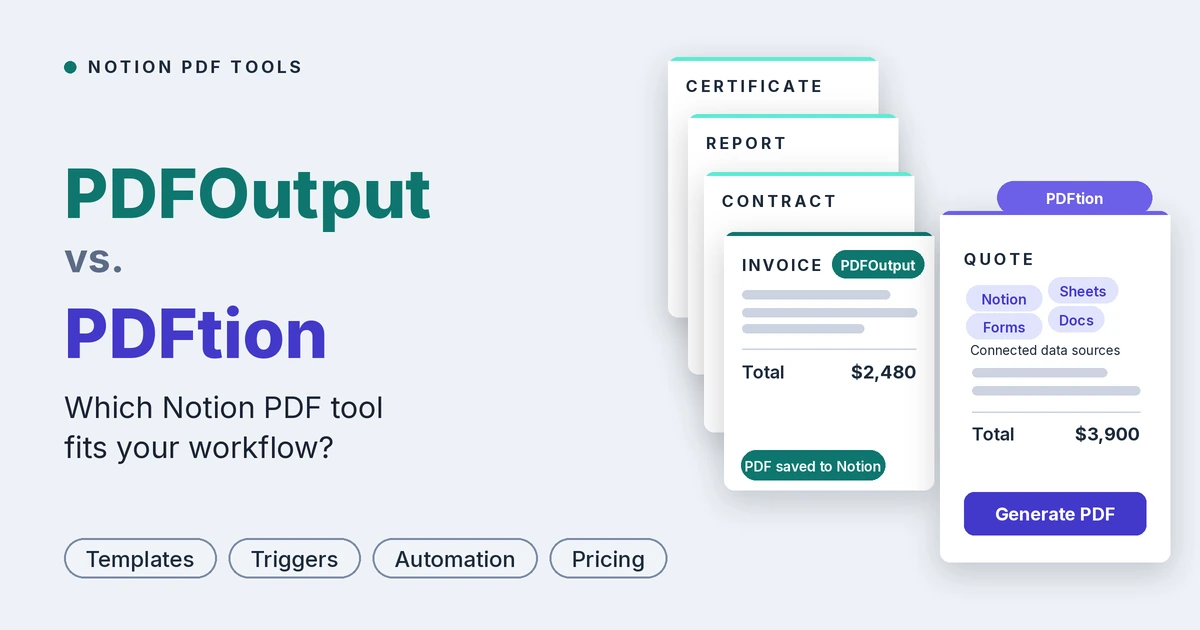
PDFOutput and PDFtion both produce PDFs from Notion, but they solve different problems.
PDFtion takes a public Notion page and turns it into a nicely formatted PDF, which is ideal for printing or sharing a page.
PDFOutput generates documents from your Notion databases using templates, so an invoice, contract or certificate is created automatically from a record, with the right client details filled in.
If you’re comparing the two, the question isn’t which one makes a better PDF.
It’s whether you need to export a page or automate documents. We built PDFOutput for teams that run on Notion databases and need documents produced repeatedly and reliably, so this guide compares the two on data sources, templates, document features, automation, e-signatures, privacy, pricing and support, using each product’s public pages as of November 2026.
Quick verdict
- Choose PDFOutput if your documents come from Notion database records and you want templates in Google Docs, Word, PDF or Notion pages, multiple output formats, button, schedule and status-change triggers, line items, merged PDFs and e-signatures.
- Choose PDFtion if you just want to turn individual Notion pages into well-formatted PDFs, tweak fonts and margins in a visual editor, and pay very little (or nothing) to do it.
- They’re complementary more than competing. PDFtion is a page exporter. PDFOutput is a document automation tool.
- You design a template.
- You add placeholders in double curly brackets, such as
{{Client_Name}}or{{Invoice_Amount}}. - You connect a Notion database, and PDFOutput replaces each placeholder with the matching property value.
- Multiple databases: relations and rollups let one document use values from several databases.
- Line items: link an invoice to a database of items and they appear as line items, including item images.
- Multiple templates: attach several templates to one automation, such as different layouts for different clients.
- Batch generation and merging: generate one file for every row, or merge several PDFs into one pack.
- E-signatures: send generated PDFs for signature without another tool.
- Images: insert Notion image properties with adjustable size.
- No middleware: no Zapier or Make required.
- Set up your Notion database with a property for each changing value, such as
Client_NameorDue_Date. - Build a template in Word, Google Docs, an existing PDF or a Notion page and add matching placeholders.
- Connect the template in PDFOutput, choose the database and match the fields.
- Choose an output file name from a database property and generate a preview.
- Once the preview looks right, set up the automation and generate documents with a button, schedule or status change.
- Open your Notion page, click Share, then “Share to web.”
- Paste the public URL into PDFtion.
- Adjust fonts, margins and orientation in the preview and download the PDF.
- PDFOutput reads Notion databases. Properties like client name, amount, due date, select fields, relations, rollups, formulas and images flow directly into your template, and multiple databases can combine into one document.
- PDFtion reads a Notion page as it appears. It preserves the page’s layout, tables and images, but it doesn’t merge database values into a template, so each PDF is a copy of the page rather than a document built from structured data.
- PDFOutput accepts Google Docs, Word files, existing PDFs and Notion pages as templates. Your brand, fonts, spacing and layout come along exactly as you built them, and staff can edit a record without touching the design. We also publish free ready-made Notion templates for orders, quotations, business proposals and fee agreements.
- PDFtion gives you a visual editor to style the page’s output: font families and sizes, margins, page orientation and colors, with a live preview and saved settings. It’s a good styling layer over a Notion page, but it doesn’t offer a template with placeholders that gets filled from different records.
- PDFOutput produces PDF, Word, Google Docs and PPTX from one record, merges PDFs into packs, shows line items with images, lets you name each file from any property, and supports multiple templates per automation.
- PDFtion produces PDFs with a preview, supports batch rendering of multiple pages on Pro, and keeps tables and images from the source page in place. Its public pages don’t list invoices, line items, placeholders, merging or other output formats.
- PDFOutput can generate on demand with a button, run on a schedule for recurring documents, or fire in real time when a record reaches a chosen status. It supports batches, merged PDFs and automatic Google Drive storage, and writes the finished file back into your Notion database. Everything is configured inside PDFOutput.
- PDFtion is manual by default: paste a URL, adjust, download. Batch processing is available on Pro, and an API add-on (10 PDFs per minute and 100 per month on the personal add-on) lets developers integrate it into their own tools. Unlimited API access with Zapier and Make integrations sits on the “Hacker” tier, which requires contacting the team.
- PDFOutput supports e-signatures on the PDFs it generates, with no extra tool to connect.
- PDFtion doesn’t list e-signatures, so signing would need a separate product.
- PDFtion needs your Notion page to be public while you export. It says it doesn’t store your content and suggests making the page private again right after, and it requires no login or permissions.
- PDFOutput connects to your Notion workspace and writes finished documents back to your database, so your source data doesn’t have to be made public.
- Exporting a page isn’t generating a document. PDFtion turns a finished page into a PDF. It doesn’t list placeholders or template filling, so a client’s name, line items, dates and totals still have to be typed or edited into each page before export. PDFOutput fills them in from your database automatically.
- Time is the biggest line item. Say each invoice or contract takes about 5 minutes to prepare by hand. At 200 documents a month, that’s roughly 16 hours of manual work. Even at a modest $20 an hour, that’s over $300 in labor each month, against $29 for PDFOutput’s 200-document plan. These numbers are an illustration, so swap in your own.
- Automation is built in, not bolted on. PDFOutput’s button, schedule and status-change triggers are included in every plan. With PDFtion, automation means the API: the personal add-on is an extra $40 per year and is limited to 100 PDFs per month, and unlimited API access with Zapier and Make sits on a custom-priced tier that requires contacting sales.
- Everything you need is in one plan. PDFOutput includes multiple templates per automation, PDF, Word, Google Docs and PPTX output, PDF merging and e-signatures, so you aren’t paying for or wiring up extra tools. PDFtion’s public pages don’t list these.
- Your data stays private. PDFtion needs the Notion page to be public during export. For invoices, contracts and client records, not having to publish confidential data to the web is worth more than a few dollars saved.
- Scale without surprises. PDFOutput grows from 200 documents per month at $29, to 1,000 at $59, to unlimited at $199. And every plan can be tried free on up to 10 documents, so you can test a real invoice or contract end to end before paying.
- PDFOutput offers direct live chat support from the founder for any issue you raise. We also publish tutorials and demos on this blog, a features page and free Notion templates you can duplicate and adapt.
- PDFtion offers premium support on Pro, dedicated support on the Hacker tier, a contact page and comparison guides against Notion’s native export, Chrome extensions and other tools.
- Strengths: Notion-native design, flexible template choices (Google Docs, Word, PDF, Notion pages), PDF, Word, Google Docs and PPTX outputs, button, scheduled and status-based triggers, several templates on one automation, multiple databases through relations and rollups, PDF merging, e-signatures, no need to make pages public, an unlimited-document plan, no middleware, and live chat with the founder.
- Limitations: PDFOutput is built for Notion, so it makes the most sense if Notion is where your data lives. It handles single Notion pages as well as databases, so quick one-off exports aren’t a problem.
- Strengths: very low price, a generous free plan, no login required, a visual layout editor with live preview, quick one-off exports, an API option for developers, and an affiliate program.
- Limitations: it works from a public Notion page, outputs PDF only, doesn’t list placeholders, templates, triggers, e-signatures or PDF merging, shows a watermark on the free plan, and may not render every Notion block perfectly.
- Documents built from your data. Client names, line items, totals and dates fill in automatically from database records.
- Bring your own templates. Google Docs, Word, PDF or Notion pages work as they are.
- Real automation. A button, schedule or status change starts generation, and the file is saved back to Notion.
- More output formats. PDF, Word, Google Docs and PPTX from one record.
- E-signatures and PDF merging built in. Contracts and document packs without extra tools.
- No public pages required. Your client and financial data stays inside your workspace.
- Several templates on one automation. Different layouts for different clients live in one setup.
- A direct line to the founder. Live chat support from the person who built the product.
- Generate invoices, contracts, certificates, quotes or reports from Notion database records.
- Want documents filled automatically from properties, relations and rollups.
- Need Word, Google Docs or PPTX output as well as PDF.
- Want button, scheduled or status-triggered generation.
- Need e-signatures or merged PDF packs.
- Don’t want to make confidential pages public.
- Mostly need to print or share individual Notion pages as PDFs.
- Want a visual editor for fonts, margins and orientation.
- Want a free or very low-cost option with no login.
- Are fine with a watermark on the free plan, or with $49 per year to remove it.
Let’s dive in.
At a glance
| Particulars | PDFOutput | PDFtion |
|---|---|---|
| Built for | Document generation from Notion databases | Converting Notion pages into formatted PDFs |
| Input | Notion database records plus a template | A public Notion page URL (Markdown and plain text listed as coming soon) |
| Templates with placeholders | Yes, Google Docs, Word, PDF or Notion pages | Not listed |
| Fill documents from database properties | Yes | Not listed |
| Output formats | PDF, Word, Google Docs and PPTX | |
| Multiple templates on one automation | Yes | Not applicable |
| Batch generation | Yes, one file per row | Batch rendering of multiple pages (Pro) |
| Merge PDFs | Yes | Not listed |
| Notion triggers | Button in Notion, or status change | Manual: paste a URL, or use the API |
| Multiple databases | Yes, through relations and rollups | Not listed |
| Line items | Yes, including items with images | Not applicable |
| E-signatures | Yes, on generated PDFs | Not listed |
| Save back to Notion / Google Drive | Yes, back to the database, with optional Google Drive copy | Download-based |
| Visual layout editor | Design in your template tool | Yes: fonts, sizes, margins, orientation, colors and live preview |
| API | Not listed | Yes, as a paid add-on |
| Free option | Up to 10 free documents on any plan | Unlimited PDFs with a watermark, no login |
| Paid plans | $29, $59 or $199 per month | Pro $49 per year |
| Unlimited documents | Yes, $199 per month | Unlimited PDFs on the free plan, with a watermark |
What is PDFOutput?
PDFOutput generates documents from your Notion database. You start generation with a button in Notion, on a schedule, or automatically when a record’s status changes. Each finished file is saved back to the same database, and you can optionally keep a copy in Google Drive.
Here is how it works:
Templates can be Google Docs, Word files, existing PDF files or Notion pages. Beyond PDFs, PDFOutput can produce Word files, Google Docs and PPTX files from the same record. Typical uses include invoices, quotes, contracts, certificates, inspection reports, attendance sheets, delivery notes and client updates.
Key features of PDFOutput
What is PDFtion?
PDFtion is a web tool that converts Notion pages into professionally formatted PDFs.
You make a Notion page public, paste its URL, adjust the layout in a visual editor, and download the PDF, with no login required. Markdown and plain-text input are listed as coming soon. It offers a live preview, font and size options, custom margins and page orientation, and saved settings for consistent output. Paid plans add batch rendering of multiple pages, watermark removal and API access.
PDFtion’s own pricing page says it won’t necessarily work flawlessly with every Notion page, because Notion changes often and new block types appear, and it recommends testing the output before paying. That honesty is refreshing, and it also tells you what kind of tool it is: a page exporter, not a data-driven document generator.
How setup works
PDFOutput
PDFtion
PDFtion is faster for a one-off page. PDFOutput takes a bit more setup once, then produces unlimited repeat documents with the data filled in automatically.
Data sources and input
This is the clearest difference between the two.
If your content is a finished page, such as meeting notes, a report or documentation, PDFtion is a quick way to print it. If you need the same invoice or contract produced for fifty different clients, PDFOutput does that from your database.
Templates and design
In short: PDFtion styles a page, while PDFOutput templates a document.
Document features
Invoices and other business documents
In PDFOutput you design the invoice or any other document in the tool you already use, so layout, branding and wording match your business exactly. You can keep several versions on one automation, such as a proforma invoice, a credit note or a client-specific layout, and generate them in batches or automatically when a record’s status changes. The same pattern covers contracts, certificates, reports, delivery notes and attendance sheets.
PDFtion isn’t designed for this. You could export a Notion page that looks like an invoice, but each one would need to be built and edited by hand.
Automation and triggers in Notion
If you want documents to appear on their own when a deal closes or an invoice is approved, PDFOutput does that natively. With PDFtion, you’d build that automation yourself.
E-signatures
For contracts, agreements and offer letters, keeping generation, signing and storage in one Notion-centred workflow means fewer tools and less friction.
Privacy and access
For client invoices, contracts and anything confidential, not having to publish a page to the web is a meaningful difference.
Pricing
The prices below were checked in November 2026. See PDFOutput’s pricing page and PDFtion’s pricing page for current plans.
PDFOutput
Every plan can be tried free for up to 10 documents. Annual plans count documents per year, so a busy month can borrow from a quieter one.
| Documents | Monthly price | Annual price |
|---|---|---|
| 200 per month | $29 per month | $290 per year |
| 1,000 per month | $59 per month | $590 per year |
| Unlimited | $199 per month | $1,990 per year |
| Plan | Price | Includes |
|---|---|---|
| Free | $0 | Unlimited PDFs, all customization options, no login, PDFtion watermark |
| Pro | $49 per year (listed as a discount from $99) | Everything in Free, no watermark, premium support, batch processing |
| API Access add-on | $40 per year | Up to 10 PDFs per minute and 100 per month |
| Hacker | Contact sales | Unlimited API, Zapier and Make integration, dedicated support, usage analytics |
What does it really cost?
The price only tells half the story.
PDFtion’s plans look cheap because they cover a narrower job: exporting a Notion page as a PDF. The real cost of a document tool is the time your team spends on everything the tool doesn’t do.
The bottom line: PDFtion is the budget choice if all you need is to print or share individual Notion pages. But if your team creates invoices, contracts, quotes or certificates from Notion data, the cheapest tool is the one that removes the manual work. At 200 documents a month or more, PDFOutput typically pays for itself within the first few hours of time saved.
Support and learning resources
Strengths and limitations
PDFOutput
PDFtion
Why PDFOutput is the better fit for Notion teams?
Which tool is right for you?
Choose PDFOutput if you:
Choose PDFtion if you:
Final verdict
PDFtion is a nicely done tool for a specific job: turning Notion pages into clean PDFs quickly and cheaply. If that’s all you need, it’s an easy recommendation.
But if your documents start as database records, such as invoices, contracts, quotes and certificates, you need more than a page exporter. PDFOutput fills your templates from Notion data, accepts Google Docs, Word, PDF and Notion pages as templates, produces PDF, Word, Google Docs and PPTX, triggers from a button, schedule or status change, includes e-signatures, and keeps your data private inside your workspace. For teams that generate documents repeatedly, that’s the stronger choice.
A practical way to decide is to run the same test in both. Take one invoice and one report, generate them from a few Notion records, and compare setup time, layout quality and how much you still have to do by hand.
If your documents start in Notion databases, see how PDFOutput maps your Notion fields to templates and try it free on up to 10 documents.
FAQ
Do both tools work with Notion?
Yes. PDFOutput connects to Notion databases. PDFtion converts public Notion pages.
What’s the main difference between them?
PDFtion exports a Notion page as a styled PDF. PDFOutput generates documents from database records using templates.
Can PDFtion fill an invoice from my database?
Its public pages don’t list placeholders or template filling. PDFOutput is built for this.
Do I need to make my Notion page public?
With PDFtion, yes, during export. With PDFOutput, no.
Can I use my existing Word or Google Docs templates?
In PDFOutput, yes: it accepts Google Docs, Word, existing PDFs and Notion pages. PDFtion styles a Notion page in its own editor.
Is there a free option?
Yes for both. PDFOutput lets you generate up to 10 documents free on any plan. PDFtion offers unlimited PDFs on its free plan with a watermark.
Which tool offers more output formats?
PDFOutput produces PDF, Word, Google Docs and PPTX. PDFtion produces PDF.
Do both tools support e-signatures?
PDFOutput supports e-signatures on generated PDFs. PDFtion doesn’t list e-signatures.
Does either tool have an API?
PDFtion offers API access as a paid add-on and a higher tier for unlimited use. PDFOutput is built for no-code Notion teams and doesn’t list a public API.
Which tool is cheaper?
PDFtion, by a wide margin: free with a watermark, or $49 per year for Pro. PDFOutput starts at $29 per month and includes template-based generation, automation, multiple output formats, merging and e-signatures.
Can I use both tools together?
Yes. They do different jobs, so you can use PDFtion for page exports and PDFOutput for database-driven documents.