Compare
PDFOutput vs. DocsAutomator: Which Document Automation Tool Fits Your Notion Workflow?
PDFOutput vs DocsAutomator: compare data sources, templates, triggers, e-signatures and pricing to find the best document automation tool for Notion.
By Sanat Biswal · 2026-10-25 · 5 min read
{/ synced-from-notion — do not edit manually /}
PDFOutput vs. DocsAutomator: Which Document Automation Tool Fits Your Notion Workflow?
2026-10-25 · @Sanat Biswal
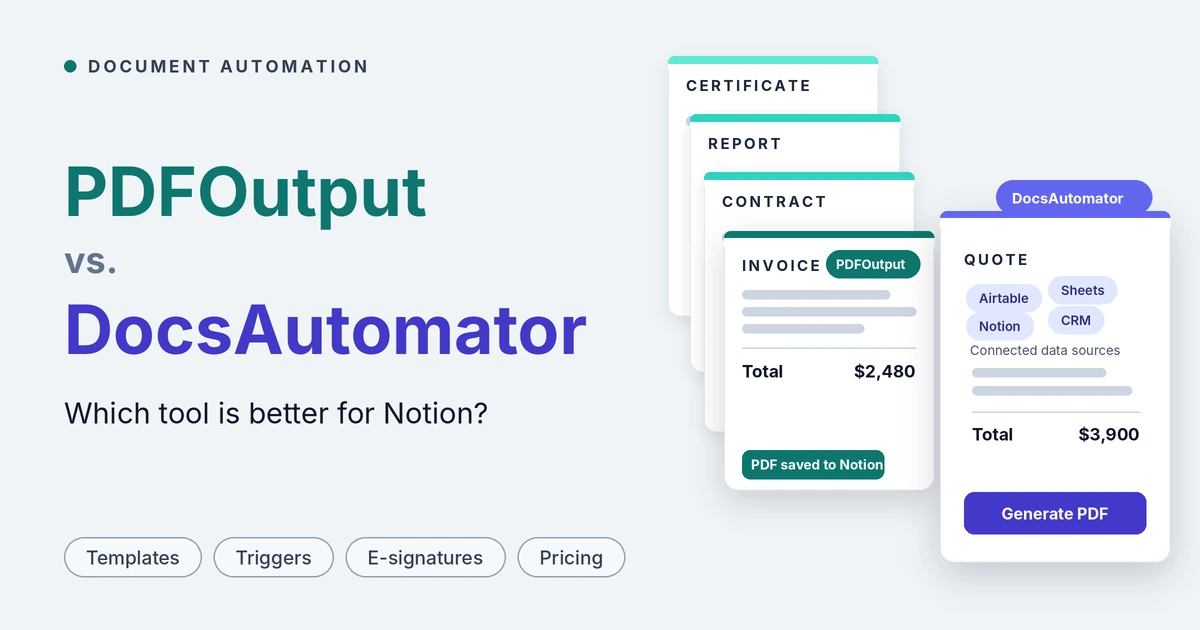
PDFOutput and DocsAutomator both turn structured data into finished documents, but they are built for different teams: PDFOutput is a Notion specialist, while DocsAutomator is a broad, multi-source platform where Notion is one integration among many.
If you are tired of copying data into invoices, contracts and quotes by hand, either tool can generate the PDF for you. The real question is how much of your workflow lives in Notion. We built PDFOutput for teams that run on Notion, so everything from field mapping to triggers to file storage is designed around Notion databases.
DocsAutomator connects to Airtable, Notion, Google Sheets, Google Forms, ClickUp, Glide, Softr, SmartSuite, Noloco, Zapier, Make, n8n and an API.
For teams whose documents start in Notion, PDFOutput is the better choice, and this guide shows why: it is built entirely around Notion databases, accepts Notion pages as templates, runs several templates from one automation, triggers from a button, or a status change with no webhook layer, and costs less at the volumes most Notion teams actually run.
This guide compares the two on data sources, templates, document features, automation, e-signatures, security, support and pricing, using each product's public pages as of October 2026.
Quick verdict
- Choose PDFOutput if Notion is your system of record and you want documents generated straight from Notion databases, with templates in Google Docs, Word, PDF or Notion pages, several templates on one automation, outputs in PDF, Word, Google Docs and PPTX, button, schedule and status-change triggers without webhook setup, and an unlimited-document plan with no monthly cap.
- Choose DocsAutomator if your data lives in several tools, you need a REST API, AI agent (MCP) access, German e-invoicing, approvals before sending, published compliance statements and an uptime SLA, or you generate several thousand documents a month and want the lowest sticker price at that scale.
- Both work with Notion and both include e-signatures. PDFOutput is the Notion specialist. DocsAutomator is the broader platform. The right pick depends on how deep your workflow goes into Notion.
- You design a template.
- You add placeholders in double curly brackets, such as \{\{Client_Name\}\} or \{\{Invoice_Amount\}\}.
- You connect a Notion database, and PDFOutput replaces each placeholder with the matching property value.
- Multiple databases: relations and rollups let one document use values from several databases, for example invoice details from an Invoice database and client details from a Client database.
- Line items: an invoice can be linked to a database of items, and those items appear as line items in the generated document, including item images.
- Multiple templates: attach several templates to the same automation, such as different invoice layouts for different clients.
- Batch generation and merging: generate one file for every row in a database, or merge several PDFs into one pack.
- E-signatures: generated PDFs can be sent for e-signature.
- Images: Notion image properties can be inserted into templates with adjustable size.
- No middleware: you do not need Zapier or Make, because the Notion connection and the template are all you configure.
- Set up your Notion database with a property for each value that changes, such as Client_Name or Due_Date.
- Build a template in Word, Google Docs, an existing PDF or a Notion page and add placeholders. Each placeholder matches a Notion property name exactly, so \{\{Client_Name\}\} matches the property Client_Name.
- Connect the template in PDFOutput, choose the Notion database and match the fields.
- Choose an output file name from a database property, then generate a preview document.
- Once the preview looks right, set up the automation and generate documents inside your database with a button, a schedule or a status change.
- Create a Google Docs or Word template, from scratch or from its free template gallery.
- Connect Notion as the data source, map data fields to the template placeholders and generate previews until the document is right.
- Send requests from Notion to DocsAutomator to receive PDFs, and optionally keep the Google Doc or Word file for further editing.
- PDFOutput works with Notion databases. Field mapping, file storage and triggers are all designed around how Notion databases behave, and relations and rollups let you combine several databases into one document.
- DocsAutomator works with Airtable, Notion, Google Sheets, Google Forms, ClickUp, Glide, Softr, SmartSuite and Noloco, connects to Zapier, Make and n8n, and offers a REST API. It also lists HubSpot, Salesforce, Pipedrive and QuickBooks among its other tools, and works inside ChatGPT, Claude and other AI agents through MCP.
- PDFOutput accepts Google Docs, Word files, existing PDFs and Notion pages as templates, which gives Notion users the widest choice of starting points. Fixed text stays in the template and changing values stay in Notion, so staff can edit a record without touching the design. We also publish free ready-made Notion templates for common documents such as orders, quotations, business proposals and fee agreements.
- DocsAutomator accepts Google Docs, Word and PDF templates, where the PDF option overlays your data on an existing design. It offers a gallery of free pre-built templates in Google Docs and Word, plus an AI template generator that can draft a Word template from a description.
- PDFOutput maps placeholders to Notion properties, inserts Notion images with adjustable size, and shows items with images inside line-item tables, which helps for product catalogues and quotes. It produces PDF, Word, Google Docs and PPTX output from one record, merges PDFs into packs, and lets you name each file from any property.
- DocsAutomator adds conditional sections and conditional styling, nested line items, line-item grouping, auto-numbered columns, AI field mapping, e-invoices for Germany (ZUGFeRD and XRechnung) and the Swiss QR-bill. Preview mode is unlimited, so testing does not use up documents.
- PDFOutput can generate on demand with a button, run on a schedule for recurring documents, or fire in real time when a record reaches a chosen status. It supports batches, merged PDFs and automatic Google Drive storage, and writes the finished file back into the Notion database. You configure the trigger inside PDFOutput, with no Zapier or Make in between.
- DocsAutomator lists several routes for Notion: Notion's built-in automations with a webhook action (a Notion paid-plan feature), a Notion button block that calls a DocsAutomator webhook, Zapier or Make, n8n, or its REST API. After generation it can save to Google Drive, OneDrive or Dropbox, email the document, write the document URL back to a Notion property, call a webhook, or merge in an existing PDF.
- PDFOutput supports e-signatures on the PDFs it generates, with no extra tool to connect.
- DocsAutomator includes e-signing and one-click acceptance on every plan. A signed or accepted document counts as one document in your plan, with no extra fee.
- DocsAutomator offers a REST API, webhooks on completion and an MCP connection for ChatGPT, Claude and other AI agents, so it suits teams that want documents created from custom software or from a chat assistant.
- PDFOutput is built for no-code teams working in Notion. If your main requirement is programmatic generation from your own code through a public API, or letting an AI agent create documents on request, DocsAutomator is built for that today.
- Just getting started: PDFOutput lets you generate up to 10 documents free, enough to run a real invoice, contract and certificate end to end in your own Notion workspace. DocsAutomator lets you test with unlimited previews and no credit card. Both are low-risk to try.
- About 100 documents a month: DocsAutomator's Professional plan is cheaper on annual billing, at $19 per month against about $24 per month ($290 per year) for PDFOutput.
- About 200 documents a month: PDFOutput is cheaper. Its 200-document plan costs $29 per month, or about $24 per month billed annually. On DocsAutomator, 200 documents means 100 included plus 100 extra at $0.20, which comes to $49 per month on monthly billing or $39 per month on yearly billing.
- About 1,000 documents a month: PDFOutput's 1,000-document plan costs $59 per month or $590 per year. DocsAutomator's Business plan covers the same 1,000 documents for $79 per month or $708 per year, so PDFOutput saves $20 per month, or $118 per year.
- Between 1,000 and 5,000 documents a month: DocsAutomator is usually cheaper on sticker price. Its Scale plan is $149 per month on yearly billing for 5,000 documents, while PDFOutput's unlimited plan works out to about $166 per month on annual billing. On monthly billing both cost $199.
- More than 10,000 documents a month: PDFOutput's unlimited plan stays at $199 per month with no cap. DocsAutomator's Scale plan stops at 10,000 documents per month, and higher volumes mean arranging a custom plan.
- DocsAutomator provides email and chat support on every plan, video-call support from the Business plan, a knowledge base with guides and video tutorials, direct email access to its founder, and a paid done-for-you setup service.
- PDFOutput offers direct live chat support from the founder for any issue users raise. We also publish tutorials and demos on this blog, a features page and free Notion templates that you can duplicate and adapt.
- Strengths: Notion-native design, flexible template choices (Google Docs, Word, PDF, Notion pages), PDF, Word, Google Docs and PPTX outputs, button, scheduled and status-based triggers, several templates on one automation, multiple databases through relations and rollups, e-signatures, an unlimited-document plan, no middleware required, and live chat with the founder.
- Limitations: it is built for Notion, so it makes the most sense when Notion is already your source of truth.
- Strengths: many data sources, a REST API, webhooks and MCP access for AI agents, conditional logic, German e-invoicing and the Swiss QR-bill, approvals, detailed compliance and e-signature documentation, a 99.9% uptime SLA on Scale, unlimited previews, and a lower sticker price at several thousand documents a month.
- Limitations: one template per automation, a Notion trigger that relies on a webhook or an automation tool, no Notion-page templates, monthly document maximums of 250, 2,000 and 10,000 by plan, overage charges, and several features held back for the Business and Scale tiers.
- It is built for Notion, not adapted to it. Field mapping, triggers, file storage and write-back are all designed around how Notion databases behave, rather than being one connector among a dozen.
- Triggers live inside the tool. A button in Notion, a schedule or a status change starts generation, configured in PDFOutput itself. DocsAutomator's Notion routes rely on a webhook (Notion's automation webhook action is a paid-plan feature), a button block that calls a webhook, or an automation tool such as Zapier, Make or n8n.
- Your Notion pages can be the template. PDFOutput accepts Notion pages alongside Google Docs, Word and PDF templates. DocsAutomator's published options are Google Docs, Word and PDF.
- Several templates on one automation. Different invoice layouts for different clients live in one automation. On DocsAutomator each automation connects one template, and Professional allows five automations, so extra layouts use up that allowance.
- More output formats from one record. PDFOutput produces PDF, Word, Google Docs and PPTX. DocsAutomator's published outputs are PDF, Google Docs and Word.
- Better value from 200 to 1,000 documents a month, and a true unlimited plan. At 200 documents PDFOutput costs less than DocsAutomator's Professional plus overage. At 1,000 it saves $20 per month, or $118 per year. Above 10,000 documents a month, its unlimited plan has no ceiling.
- Fewer moving parts. One tool, one Notion connection and one template means fewer things to connect, monitor and fix when something breaks.
- A direct line to the founder. Live chat support from the person who built the product, for any issue you raise.
- Run your business in Notion and want documents generated directly from your databases
- Want to start from Google Docs, Word, PDF or Notion page templates
- Need several template layouts on one automation, such as different invoices for different clients
- Need Word, Google Docs or PPTX output as well as PDF
- Want button, scheduled or status-triggered generation without webhooks or extra automation tools
- Generate 200 to 1,000 documents a month, or want an unlimited plan with no cap
- Want live chat support from the founder
- Keep data in Airtable, Google Sheets, Google Forms, ClickUp or a CRM, alone or alongside Notion
- Need a REST API, webhooks, or AI agents such as ChatGPT and Claude creating documents for you
- Issue German e-invoices (ZUGFeRD, XRechnung) or Swiss QR-bill invoices
- Need approvals before documents go out, or conditional sections that change a document's shape
- Want published compliance statements, a custom DPA or a written uptime SLA
- Generate between 1,000 and 5,000 documents a month and want the lowest sticker price
Let's dive in.
At a glance
| Description | PDFOutput | DocsAutomator |
|---|---|---|
| Built for | Document generation from Notion databases | Document automation and signing from many data sources |
| Data sources | Notion databases | Airtable, Notion, Google Sheets, Google Forms, ClickUp, Glide, Softr, SmartSuite, Noloco, Zapier, Make, n8n, API, plus CRMs such as HubSpot, Salesforce and Pipedrive |
| Templates | Google Docs, Word, existing PDFs or Notion pages | Google Docs, Word, or PDF (data overlaid on an existing PDF) |
| Output formats | PDF, Word, Google Docs and PPTX | PDF, Google Docs and Word |
| Multiple templates on one automation | Yes, for example different invoice layouts for different clients | No, one template per automation |
| Bulk generation | Yes, one file per row | Yes |
| Merge PDFs | Yes | Yes, on Business and Scale plans |
| Notion triggers | Button in Notion, or status change | Notion automation webhook, a button block calling a webhook, Zapier, Make, n8n or the API |
| Multiple databases | Yes, through relations and rollups | Yes, through relations and rollups |
| Line items | Yes, including items with images | Yes, including nested line items |
| Conditional logic | Not listed | Yes, conditional sections and styling |
| E-signatures | Yes, on generated PDFs | Yes, included on every plan |
| Free option | Up to 10 free documents on any plan | Unlimited previews, no credit card required |
| Paid plans | $29, $59 or $199 per month; $290, $590 or $1,990 per year | $29, $79 or $199 per month; $19, $59 or $149 per month billed yearly |
| Unlimited documents | Yes, $199 per month | No, Scale plan caps at 10,000 documents per month |
What is PDFOutput?
PDFOutput generates documents from your Notion database. You start generation with a button in Notion, or automatically when a record's status changes. Each finished file is saved back to the same database, and you can optionally keep a copy in Google Drive.
Here is how it works:
Templates can be Google Docs, Word files, existing PDF files or Notion pages.
Beyond PDFs, PDFOutput can produce Word files, Google Docs and PPTX files from the same record. Typical uses include invoices, quotes, contracts, certificates, inspection reports, attendance sheets, delivery notes and client updates.
Key features of PDFOutput
What is DocsAutomator?
DocsAutomator is a no-code platform that generates documents from your own Google Docs, Word or PDF templates and your data, then sends them for e-signature or one-click acceptance and files the result back to your records.
It runs from Airtable, Notion, Google Sheets, Zapier, ChatGPT, Claude or its API.
It covers line items and nested tables, conditional sections, dynamic images, batch processing, email delivery from your own Gmail or Outlook account, saving to Google Drive, OneDrive or Dropbox, e-invoices for Germany (ZUGFeRD and XRechnung), the Swiss QR-bill, approvals before a document goes out, and an AI agent that can build templates and automations for you.
The trade-off is scope. DocsAutomator is designed to work with many data sources, so Notion is one integration in a long list rather than the whole product.
How setup works
PDFOutput
For line items, link the main record to a second database through a relation and bring the values across with a rollup.
DocsAutomator
As per its Notion integration page, setup has three steps:
DocsAutomator also offers an AI agent that can take a plain-language description, build the automation and draft a template, and a paid done-for-you setup service ($499 with any yearly plan).
Both tools can be configured without code.
The difference is where the work happens: PDFOutput keeps the Notion connection, the template and the trigger in one place, while DocsAutomator's Notion trigger is typically wired up through a webhook, Notion's own automation, or an automation tool, covered below.
Data sources and integrations
This is the clearest difference between the two.
If your data lives in Notion and stays there, a Notion-first tool costs you nothing in breadth and gives you more depth where it counts. If part of your data lives in Airtable, Google Sheets or a CRM, DocsAutomator covers more ground and works as one generalist tool for all of it.
Both support the Notion property types that matter for documents: title and text, numbers, dates, select and multi-select, checkbox, URL, email and phone, formulas, relations, rollups and files.
PDFOutput also allows converting notion pages to PDFs and also connects nested databases together to generate the PDFs.
Templates and design
Both tools let you start from documents your team already has and owns, so nobody has to learn a new design editor.
The practical difference is the Notion page option. If your team already writes quotes, proposals or agreements as Notion pages, PDFOutput can use that page as the template.
DocsAutomator's published template options do not include Notion pages, so those documents would need to be rebuilt in Google Docs or Word first.
Document features
For everyday business documents the two tools overlap heavily.
Both handle line items, images, batch generation, merging, relations and rollups across several Notion databases, and e-signatures.
Invoices and other business documents
In PDFOutput you design the invoice or any other document in Google Docs, Word, an existing PDF or a Notion page, so layout, branding and wording match your business exactly. You can keep several versions on one automation, such as a proforma invoice, a credit note or a client-specific layout, and generate them in batches or automatically when a record's status changes. The same pattern covers contracts, certificates, reports, delivery notes and attendance sheets.
DocsAutomator covers the same document types, with extra depth for documents that change shape (conditional sections) and for regional invoicing rules. If you issue German e-invoices or Swiss QR payment slips, that is a real advantage for DocsAutomator.
Automation and triggers in Notion
How a document gets triggered matters more than it sounds, because it decides how many moving parts sit between your Notion database and the finished file.
In short, PDFOutput's button, schedule and status-change triggers fit Notion workflows directly and need less setup. DocsAutomator offers more routes and more follow-up actions, at the cost of an extra webhook or automation layer between Notion and the document.
E-signatures, compliance and security
Both tools can send generated documents for e-signature, so neither forces you into a separate signing product.
For the typical Notion team, the deciding factor is how little friction there is between a record and a signed document. PDFOutput keeps generation, signing and storage in one Notion-centred workflow, with no webhook or automation layer to set up first.
DocsAutomator publishes more formal compliance documentation, which matters mainly if your legal or procurement team requires it in writing.
If you simply need generated contracts signed from Notion, both tools do the job, and PDFOutput does it with fewer moving parts.
API and developer options
For most Notion teams, who are not writing code to generate invoices, the missing API is a small cost. For product teams embedding document generation in an app, it decides the choice.
Pricing
The prices below were checked in October 2026. For the latest plans, see PDFOutput's pricing page and DocsAutomator's pricing page.
1. PDFOutput
Every PDFOutput plan can be tried free for up to 10 documents. Paid plans are monthly or annual subscriptions, and annual plans count documents per year, so a busy month can borrow from a quieter one.
| Documents | Monthly price | Annual price | Annual saving |
|---|---|---|---|
| 200 per month | $29 per month | $290 per year (2,400 documents per year) | $58 |
| 1,000 per month | $59 per month | $590 per year (12,000 documents per year) | $118 |
| Unlimited | $199 per month | $1,990 per year | $398 |
2. DocsAutomator
DocsAutomator charges for documents, not seats, and every plan includes all data sources, all document features, e-signing and acceptance, and unlimited team members. Overage is switched on by default for paid plans, and when a plan's monthly maximum is reached, document creation pauses until the next billing period.
| Plan | Monthly price | Yearly price | Included per month | Overage per extra document | Maximum per month | Automations |
|---|---|---|---|---|---|---|
| Professional | $29 | $19 per month ($228 per year) | 100 | $0.20 | 250 | 5 |
| Business | $79 | $59 per month ($708 per year) | 1,000 | $0.10 | 2,000 | 20 |
| Scale | $199 | $149 per month ($1,788 per year) | 5,000 | $0.06 | 10,000 | Unlimited |
What does it really cost? Think in terms of your volume
The cheapest plan on paper depends on how many documents you generate. Here is how the two compare at common volumes.
Look at what is included, not just the price. PDFOutput's plans differ by document volume, so e-signatures, merging and multiple templates are not held back for higher tiers.
On DocsAutomator, merging PDFs, a custom email sender and approvals need Business, and the SLA and white-label signing need Scale. A signed document also counts toward your monthly total on DocsAutomator, though without an extra fee.
The bottom line: at the low and middle volumes where most Notion teams sit, from a couple of hundred to about a thousand documents a month, PDFOutput costs less for the same output.
DocsAutomator wins on sticker price in the few-thousand range. PDFOutput wins again if you want unlimited volume without a ceiling.
Support and learning resources
Both companies put real people behind support rather than a ticket queue. If you want to ask the person who built the tool a question in a live chat, PDFOutput makes that the default.
Strengths and limitations
PDFOutput
DocsAutomator
Where PDFOutput comes out ahead for Notion teams
DocsAutomator is a strong, broad product, and for some teams it is the right choice. For a team whose documents start in Notion, these are the places where PDFOutput is the better fit.
Who should choose which
Choose PDFOutput if you:
Choose DocsAutomator if you:
PDFOutput for documents that come from Notion, and DocsAutomator for Airtable, Sheets or API-driven documents.
Final verdict
Both tools turn structured data into professional documents, both handle line items and e-signatures, and both save hours of manual work, so neither is a wrong choice.
DocsAutomator is the better fit when you need breadth: many data sources, a REST API, AI agent access, regional e-invoicing, approvals, published compliance detail and a lower sticker price at a few thousand documents a month.
PDFOutput is the better fit when you need depth in Notion, and for most teams whose documents start in Notion, that is the better choice. It is built around Notion databases from the first field mapping to the saved file. It accepts Notion pages as templates alongside Google Docs, Word and PDF.
It runs several templates from one automation and produces PDF, Word, Google Docs and PPTX from the same record. It triggers from a button, a schedule or a status change with no webhook or Zapier layer.
And it costs less than DocsAutomator at the volumes most Notion teams actually run, with an unlimited plan for those that outgrow them.
A practical way to decide is to run the same test in both. Take one invoice, one certificate and one report, generate them from a handful of Notion records, and compare setup time, layout quality and cost. Choose the tool that handles your real documents with the least effort.
If your documents start in Notion, see how PDFOutput maps your Notion fields to templates and try it free on up to 10 documents.
FAQ
Do both tools work with Notion?
Yes. PDFOutput is built entirely around Notion databases. DocsAutomator supports Notion as one of many data sources, including relations, rollups, formulas and files properties.
Which tool supports more data sources?
DocsAutomator. It supports Airtable, Notion, Google Sheets, Google Forms, ClickUp, Glide, Softr, SmartSuite, Noloco, Zapier, Make, n8n and an API. PDFOutput is designed for Notion databases.
Can I use my existing Word or Google Docs templates?
Yes, in both. PDFOutput accepts Google Docs, Word, existing PDFs and Notion pages as templates. DocsAutomator accepts Google Docs, Word and PDF templates.
Can I use a Notion page as a template?
In PDFOutput, yes. DocsAutomator's published template options are Google Docs, Word and PDF.
Is there a free option?
Yes for both. PDFOutput lets you generate up to 10 documents free on any plan. DocsAutomator lets you test with unlimited previews and no credit card.
Can either tool handle invoices with line items?
Yes. PDFOutput brings line items in through Notion relations and rollups, including items with images. DocsAutomator supports dynamic and nested line items.
Can I combine data from several databases in one document?
Yes, in both. Relations and rollups let one document pull values from several Notion databases, such as an invoice database and a client database.
Do both tools support e-signatures?
Yes. PDFOutput supports e-signatures on the PDFs it generates. DocsAutomator includes e-signing and one-click acceptance on every plan.
Do I need Zapier or Make to trigger documents from Notion?
Not with PDFOutput, which triggers from a button, a schedule or a status change. DocsAutomator triggers from Notion through a webhook, a button block that calls a webhook, or an automation tool such as Zapier, Make or n8n.
Does either tool have an API?
DocsAutomator offers a REST API, webhooks and MCP access for AI agents. PDFOutput is built for no-code Notion teams and does not list a public API in the features compared here.
Which tool is cheaper?
It depends on volume. At about 200 and about 1,000 documents a month, PDFOutput costs less. At about 100 documents a month on annual billing, and between 1,000 and 5,000 documents a month, DocsAutomator has the lower sticker price. Above 10,000 documents a month, PDFOutput's unlimited plan has no cap.
Can I use both tools together?
Yes. They are independent, so you can use PDFOutput for Notion-based documents and DocsAutomator for documents that come from other sources.